MENU: My Music Mode
In My Music mode, press the key to set the Repeat, Random, Info, Delete, Delete All, and Delete Selected functions.
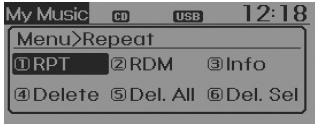
Repeat
press key
 Press the [
 RPT] key to repeat the current song.
 the TUNE knob or
 key.
Repeats the song being played.
❈ Press RPT again to cancel repeat.
Random
press key
 Press the [
 RDM] Through
 the TUNE knob or
 key.
Plays all songs in random order.
❈ Press RDM again to cancel random play.
Information
press key
 Press the [
 Info] key
 the TUNE knob or
 key.
Displays information about the current song.
❈ Press the key to turn off the information display.
Delete
press key
 Press the [
 Delete] Through
 the TUNE knob or
 key.
- • Deletes the file currently being played. On the playback screen, pressing Delete will delete the song currently being played.
- • Deletes a file from the list
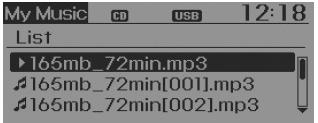
➀ Select the file to delete using the TUNE knob.
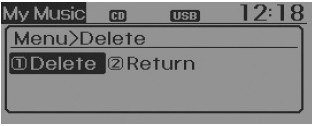
➁ Press the key and select the delete menu to delete the selected file.
Delete All
press key
 Press the [
 Del.All] Through
 the TUNE knob or
 key. Deletes all songs in My Music.
Delete Selected
press key
 Press the [
 Del.Sel] using the TUNE knob or
 key.
Songs in My Music are selected and deleted.
➀ Select the songs you want to delete from the list.
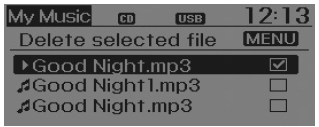
➁ After selecting, press the key and select the delete menu.
✽ NOTICE - USING MY MUSIC
- Up to 6000 songs can be saved even if memory is available.
- The same song can be copied up to 1000 times.
- Memory information can be checked in the system setup menu.
AUX
AUX is used to play external media currently connected to the AUX jack.
AUX mode starts automatically when an external device is connected to the AUX terminal.
If an external device is connected, you can also press the key to switch to AUX mode.
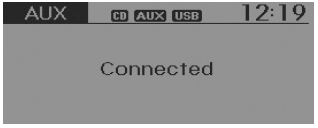
❈ AUX mode cannot be started if an external device is not connected to the AUX jack.
✽ NOTICE - USING AUX
- Fully insert the AUX cable into the AUX jack before use.
Test yourself
A quick Hyundai Tucson LM quiz: every answer comes with an explanation and a link to the manual page.