Multimedia System
Radio: FM, AM or XM
In this manual: Multimedia System
~1min read
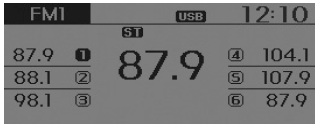
Seek
press key
- Short press of the key (less than 0.8 seconds): Changes the frequency.
- Press and hold the key (more than 0.8 seconds): Automatically searches for the next frequency.
Preset Search
press ~
 key
- Short press of the key (less than 0.8 seconds): Plays the station stored on the corresponding key.
- Press and hold the key (more than 0.8 seconds): Press and hold the desired key from
 ~
 to store the current broadcast on the selected key. A beep will sound.
Scan
Press the key
- Short press of the key (less than 0.8 seconds): The broadcast frequency increases and previews each broadcast for 5 seconds. After scanning all frequencies, it returns to and plays the current broadcast frequency.
- Press and hold the key (more than 0.8 seconds): Previews the broadcasts stored in the presets
 ~
 for 5 seconds each.
Manual Tuning Selection
Turn the TUNE knob left/right to adjust the frequency.
- FM: changes in 200 kHz steps
- AM: changes in 10 kHz steps
Menu
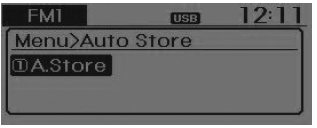
Within are the A.Store (Auto Store) and Info functions.
 Store
press key
 Select [A.Store] using
 the TUNE knob or
 key.
Stores broadcasts with excellent reception on the ~
 keys. If no frequencies are received, the last received frequency will be stored.
Test yourself
A quick Hyundai Tucson LM quiz: every answer comes with an explanation and a link to the manual page.
Was this page helpful?