Restraints
Passive Occupant Detection System (PODS) Repair Procedures
In this manual: Restraints
16steps
~96min
4/5difficulty
Done 0 of 16
Removal
- Disconnect the negative battery cable and wait at least three minutes before starting work.
- Remove the front passenger seat assembly. (Refer to Body - Seat group)
- Remove the seat cushion assembly. (Refer to Body - Seat group)
Installation
- Install the seat cushion equipped with PODS. (Refer to Body - Seat group)
- Install the front passenger seat assembly. (Refer to Body - Seat group)
- Connect the negative battery cable.
- After installing PODS, check that the system operates correctly:
The indicator light will illuminate for 4 seconds and then turn off within 3 seconds. After 7 seconds it will remain off if PODS does not require suppression and the passenger airbag is enabled.A. Turn the ignition ON; the SRS indicator should illuminate for approximately six seconds, then turn off.
Be sure to perform a PODS reset using the diagnostic tool after replacing a seat cushion equipped with PODS.
PODS Reset Procedure
You must perform the PODS reset procedure after servicing or replacing the entire passenger seat.- Ignition OFF, connect GDS.
- Turn the ignition ON and the engine OFF, select the airbag system and the "PODS RESET" mode.
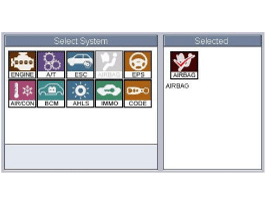
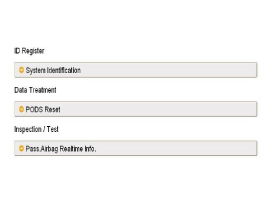
- GDS will display the two steps of the PODS RESET function.
- Erase the PODS diagnostic trouble codes.
- PODS initialization.
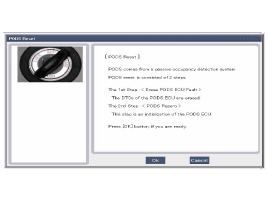
This step must be repeated after resetting PODS when the front passenger seat is unoccupied.
- Press the OK button to erase the diagnostic trouble codes related to PODS.
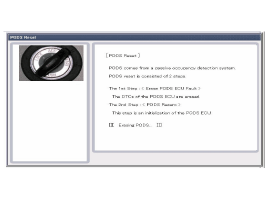
- Press the OK button to initialize PODS.
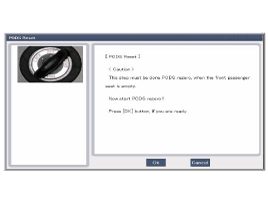
This step must be repeated after resetting PODS when the front passenger seat is unoccupied. - The PODS initialization procedure will be performed.
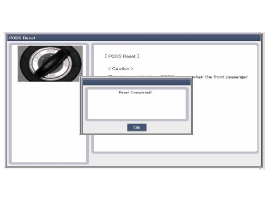
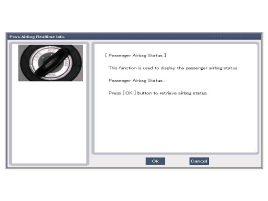
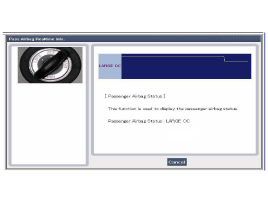
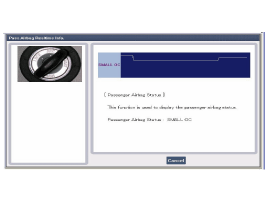
- Check the PODS status by selecting "Pass. Airbag Realtime Info" after performing the PODS reset procedure.
- Perform the check by pressing the OK button.
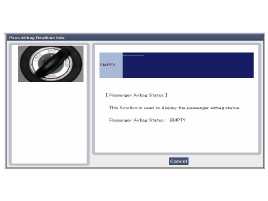
- Complete the procedure by pressing the Cancel button if there are no problems after checking each status, as shown below.
Test yourself
A quick Hyundai Tucson LM quiz: every answer comes with an explanation and a link to the manual page.
Was this page helpful?