Remote Smart Parking Assist Malfunction and Limitations
Remote Smart Parking Assist Malfunction
Remote Smart Parking Assist Inspection
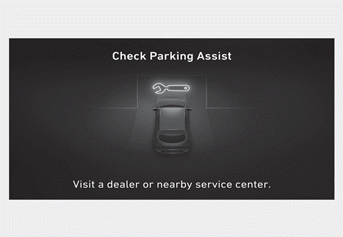
If Remote Smart Parking Assist does not operate properly, the "Parking Assist" warning message may appear on the infotainment system screen when the Parking/View (button is pressed. If this message appears, stop using Remote Smart Parking Assist and have the system inspected by an authorized HYUNDAI dealer.
Remote Smart Parking Assist Canceled
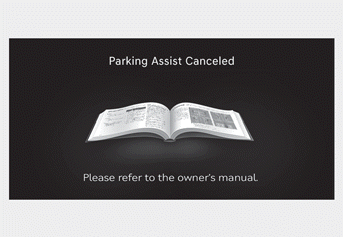
When Remote Smart Parking Assist is operating, the function may be canceled and the "Parking Assist Canceled" warning message may appear on the infotainment system screen. Other messages may appear depending on the situation. Follow the instructions provided when parking the vehicle with Remote Smart Parking Assist. Always look around and pay attention when using Remote Smart Parking Assist.
Remote Smart Parking Assist Standby
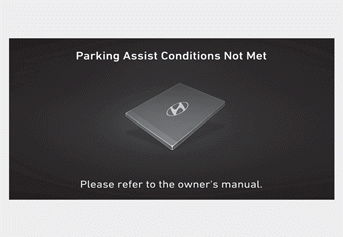
The "Parking Assist Conditions Not Met" message may appear on the infotainment system screen if:
- Parking/View (
 ) button is pressed and held. After a while, press and hold the Parking/View () button again to check whether Remote Smart Parking Assist is operating.
- The smart key battery is discharged. Check the battery and replace it if necessary.
Remote Smart Parking Assist Limitations
In the following cases, the use of Remote Smart Parking Assist may be limited, a collision hazard may occur, or Remote Smart Parking Assist may turn off. You may have to park your vehicle or leave the parking space without using this function.
- An object is attached to the steering wheel.
- Your vehicle is equipped with snow chains, a temporary spare tire, or wheels of a different size.
- Tire pressure is lower or higher than the standard tire pressure.
- Your vehicle is loaded with cargo that is longer or wider than your vehicle, or a trailer hitch is connected to your vehicle.
- There is a problem with the steering wheel alignment.
- Your vehicle leans heavily to one side.
- Your vehicle is equipped with a trailer hitch.
- The license plate is installed in a location different from the intended location.
- There is a person, animal, or object above or below the ultrasonic sensor when the Remote Smart Parking Assist system is activated.
- The parking space is narrow, curved, or angled.
- There is an obstacle, such as a person, animal, or object (trash can, bicycle, motorcycle, basket, narrow pole, etc.), detected near the parking space.
- A round pole, a narrow pole, or a pole surrounded by objects, such as a fire extinguisher, is detected near the parking space.
- The road surface is uneven (curb, speed bump, etc.) or slippery.
- The parking space is next to a vehicle with a high ground clearance or a larger vehicle, such as a truck.
- The parking space is sloped.
- There is strong wind.
- The Remote Smart Parking Assist system is driven on rough roads, gravel roads, bushes, etc.
- The weather is very hot or cold.
- The ultrasonic sensor is covered or blocked by snow, water, or dirt.
- A wireless transmission device is operating near the ultrasonic sensors.
- An ultrasonic sensor with a similar frequency is near your vehicle.
- The sensor has been damaged or scratched by a sharp object.
- The ultrasonic sensor may not detect the following objects:
- Narrow or thin objects, such as ropes, chains, or small poles
- Objects less than 40 inches (100 cm) in height and less than 6 inches (14 cm) in diameter
- Objects that tend to absorb the sensor frequency, such as clothing, sponge material, or snow
- Pedestrians, animals, or objects that are very close to the ultrasonic sensors
The Remote Smart Parking Assist system may not operate normally under the following conditions:
Parking on slopes
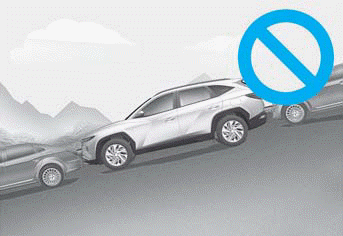
Operate the Remote Smart Parking Assist system manually on slopes.
Parking on uneven roads
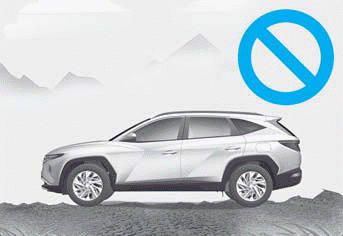
The Remote Smart Parking Assist system may be canceled when your vehicle slides or cannot move due to road conditions, such as gravel or sharp stones.
Parking behind a truck
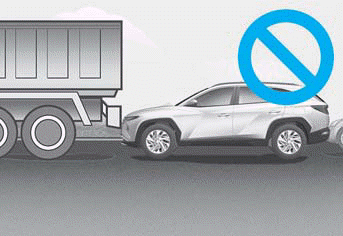
Do not use the Remote Smart Parking Assist system around vehicles with a higher ground clearance, such as a bus or truck, etc. The other vehicle may not be detected and may cause a collision.
Parking near a pole
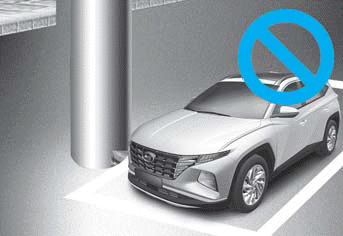
The Remote Smart Parking Assist system performance may be reduced when there is a narrow object, a pole (such as a round pole or a pole with square edges, etc.), or a pole surrounded by objects, such as a fire extinguisher near the parking space.
Parking in a space with a vehicle on one side only
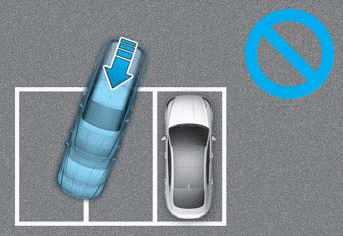
If the Remote Smart Parking Assist system is used when parking in a space with a vehicle on one side only, your vehicle may cross the parking line on the opposite side of the parked vehicle.
Parking in angled spaces
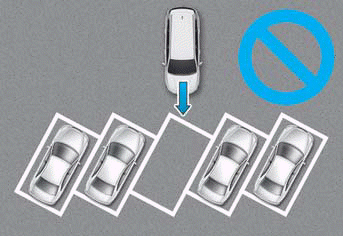
The Remote Smart Parking Assist system cannot park your vehicle at an angle or diagonally in a space. Even if your vehicle can enter the parking space, do not use the Remote Smart Parking Assist system, because the function does not operate normally.
Parking in snow
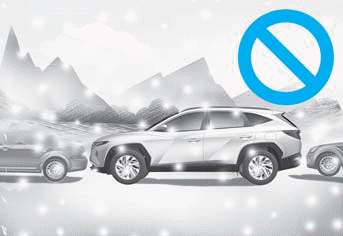
Snow may interfere with sensor operation, or the Remote Smart Parking Assist system may be canceled if the road is slippery where you are parking.
WARNING
You are responsible for parking and exiting safely when using the Remote Smart Parking Assist system. Make sure there are no pedestrians, animals, or objects around the vehicle when using the Remote Smart Parking Assist system.
To avoid serious injury or death:
- When using the Remote Smart Parking Assist system, keep away from the path of your vehicle.
- A collision may occur if a pedestrian, animal, or object is in the blind spot of the sensor area or is very close to the sensors.
- A collision may occur if a pedestrian, animal, or object suddenly enters the path of your vehicle while the Remote Smart Parking Assist system is operating.
- Do not use the Remote Smart Parking Assist system while under the influence of alcohol.
- Do not allow children or other people to use the smart key.
- Do not use the Remote Smart Parking Assist system continuously for a long time. This may adversely affect the Remote Smart Parking Assist system performance.
- The Remote Smart Parking Assist system may not operate normally if your vehicle needs wheel alignment adjustment, such as when your vehicle leans to one side. Have your vehicle inspected by an authorized HYUNDAI dealer.
- The Remote Smart Parking Assist system brakes or when the brake pedal is depressed.
- The Remote Smart Parking Assist system may brake suddenly to avoid a collision.
- Use the Remote Smart Parking Assist system only in parking spaces large enough for your vehicle.
- If the 3rd level (continuous tone) front/rear parking distance warning sounds while the Remote Smart Parking Assist system is operating, an obstacle is detected close to your vehicle and the Remote Smart Parking Assist system temporarily stops operating.
- Do not use the Remote Smart Parking Assist system while under the influence of alcohol.
- Do not allow children or other people to use the smart key.
- If the Remote Smart Parking Assist System is used continuously for a long time, it may adversely affect the performance of the Remote Smart Parking Assist System.
- The Remote Smart Parking Assist System may not operate normally if the vehicle requires wheel alignment adjustment, for example, when the vehicle is tilted to one side. Have the vehicle inspected by an authorized HYUNDAI dealer.
- The Remote Smart Parking Assist system may brake suddenly to avoid a collision.
- Use the Remote Smart Parking Assist System only in a parking space that is large enough to allow the vehicle to move safely.
Information
- The vehicle may move forward or stop suddenly when braking with the Remote Smart Parking Assist System.
- The performance of the Remote Smart Parking Assist System may temporarily decrease or the system may turn off when the engine is started after the vehicle has been parked in extremely cold weather for a long time.
- A noise may be heard when braking, during operation of the Remote Smart Parking Assist System, or when the brake pedal is depressed.
Test yourself
A quick Hyundai Tucson LM quiz: every answer comes with an explanation and a link to the manual page.