Lane Departure Warning System (LDWS)
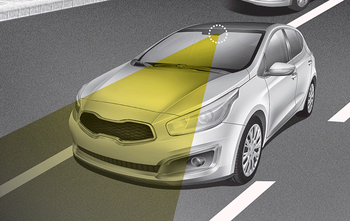
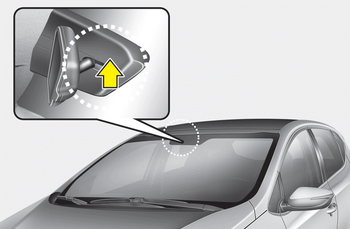
This system recognizes the lane with a sensor on the windshield and warns you when your vehicle departs from the lane.
WARNING
- LDWS does not steer the vehicle back into the lane. It is always the driver's responsibility to check road conditions.
- Do not turn the steering wheel sharply when LDWS warns you that your vehicle is departing from the lane.
- If the sensor cannot recognize the lane or if the vehicle speed does not exceed 60 km/h, LDWS will not warn you even if the vehicle departs from the lane.
- If your vehicle has tinted windshield glass or other coatings on the windshield, LDWS may not operate properly.
- Do not allow water or any other liquid to contact the LDWS sensor.
- Do not remove LDWS components or subject the sensor to strong impacts.
- Do not place light-reflective objects on the instrument panel.
- Always check road conditions because you may not hear the warning chime due to audio and external noise.
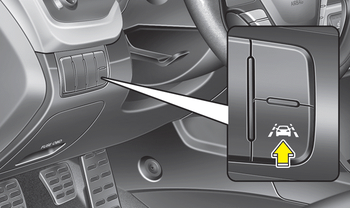
To operate LDWS, press the switch with the ignition on. The indicator light on the instrument cluster illuminates. To turn off LDWS, press the switch again.
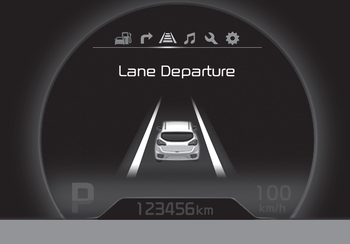
• When the sensor detects the lane marking
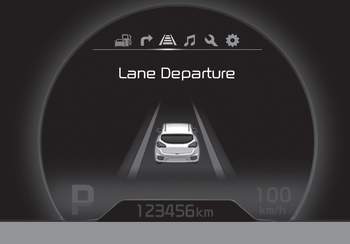
• When the sensor does not detect the lane marking
If your vehicle departs from the lane while LDWS is operating and the vehicle speed exceeds 60 km/h, the following warning occurs:
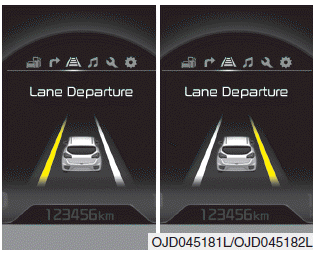
1. Visual warning
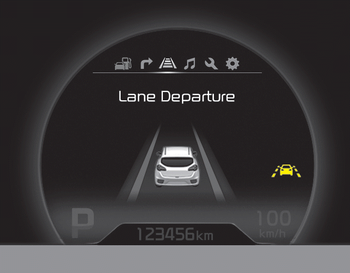
If you depart from the lane, the lane on the LCD display flashes yellow at 0.8-second intervals.
2. Audible warning
If you depart from the lane, the warning chime sounds at 0.8-second intervals.
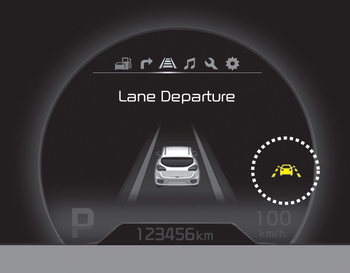
If you change the trip computer display mode while LDWS is on, the LDWS symbol will be displayed as a picture.
The color of the symbol changes depending on the state of the LDWS system.
- White color: this means the sensor does not detect a lane marking.
- Green color: this means the sensor detects a lane line.
Test yourself
A quick Kia Cee'd quiz: every answer comes with an explanation and a link to the manual page.