On-board computer and displays
Audio menu
In this manual: On-board computer and displays
6steps
~36min
2/5difficulty
Done 0 of 6
Selecting radio stations
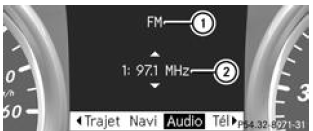
- Waveband
- Station with memory position
The memory position is only displayed if station 2 is stored.
- Switch on Audio 20 or COMAND Online and select Radio (see the separate Operator's Manual).
- Press the button
 or the
button on the steering wheel to select
the Audio menu . - Selecting a stored station: briefly press the
 or the button
 .
- Selecting a station from the station list: press and hold the
 or the button
 .
- Selecting a station with station search: press and hold the
 or the button
 .
Using audio players or audio data media
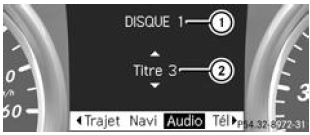
Display example for the CD changer
- CD currently playing in the CD changer
- Track currently playing
Depending on vehicle equipment, audio files can be played from various audio players or audio data media.
- Switch on Audio 20 or COMAND Online and select the audio player or an audio data medium (see the separate Operator's Manual).
- Press the button
 or the
button of the steering wheel to select
the Audio menu . - Selecting the next or previous track: briefly press the
 or the button
 .
- Selecting a track from the track list (fast scrolling): press and hold the
 or the button
 button until
the desired track is displayed 2.
If you press and hold the or the
button pressed, fast scrolling
speeds up after a short time. This function is not available on all audio players or audio data media.
If track information is stored on the audio player or audio data medium, the track number and name appear in the multifunction display. When an external audio source is connected (AUX audio mode), the track currently playing is not shown.
Playing video DVDs
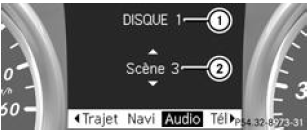
Display example for the DVD changer
- DVD currently playing in the DVD changer
- Scene currently playing
- Switch on COMAND Online and select Video DVD (see the separate Operator's Manual).
- Press the button
 or the
button of the steering wheel to select
the Audio menu . - Selecting the next or previous scene: briefly press the
 or the button
 .
- Selecting a scene from the scene list (fast scrolling): press and hold the
 or the button
 button until you
obtain the desired scene 2.
Test yourself
A quick Mercedes-Benz B-Class quiz: every answer comes with an explanation and a link to the manual page.
Was this page helpful?