Phone menu
Introduction
WARNINGWhen using mobile phones inside the vehicle, observe the legal regulations in force in the country where you are.
Only use your mobile phone while driving, where permitted by law, and only when traffic conditions allow it. Otherwise, you could be distracted from the traffic, cause an accident and be injured or injure others.
- Switch on the mobile phone and Audio 20 or COMAND Online (see the separate Operator's Manual).
- Place your mobile phone in the phone holder or establish a Bluetooth® connection with Audio 20 or COMAND Online (see the separate Operator's Manual).
- Press the button
 or the
button of the steering wheel to select
the Phone menu .
One of the following messages then appears in the multifunction display:
- Enter PIN: the mobile phone is in the phone holder and the PIN has not yet been entered.
If you enter the PIN via the mobile phone, LINGUATRONIC, Audio 20 or COMAND Online, the mobile phone searches for a network provider's network.
- Phone ready for use or the name of the mobile network operator: the mobile phone has found a network and is ready for use.
- Phone No Service: no network is available, or the mobile phone is searching for a network provider's network.
- contact a Mercedes-Benz Service Centre
- visit the website http://www.mercedes-benz.com/connect
Answering a call
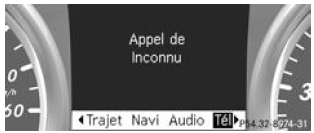
Incoming call (example)
- Press the button
 of the steering wheel
to answer the call.
If you receive a call while you are in the Phone menu , a message appears in the multifunction display.
You can answer a call even if you are not in the Phone menu .
Rejecting a call or ending a call
- Press the button
 on the steering wheel.
You can reject a call or end a call even if you are not in the Phone menu .
Dialling a number from the phone book
- Press the button
 or the
button of the steering wheel to select
the Phone menu . - Press the button
 , or
 to
 select the phone book.
- Press the button
 or the
button to select the desired name
.
To start fast scrolling, press and hold the button or the button for more than 1 second.
Fast scrolling stops as soon as you release the button or the end of the list is reached.
- If only one telephone number is stored for a name: press the button
 or the button to start dialling the number.
- If several telephone numbers are stored for a name: press the buttonor the button to display the telephone numbers.
- Press the buttonor the
buttonto select the desired
number. - Press the buttonor the
buttonto start
dialling the number. - If you do not want to make the call: press the buttonor the button
 .
Redial
The on-board computer stores the most recently dialled names or telephone numbers in the redial memory.
- Press the buttonor the
buttonof the steering wheel to select
the Phone menu . - Press the buttonto
access the redial memory. - Press the buttonor the
buttonto select the desired name
or telephone number. - Press the button or the buttonto start dialling the number.
- If you do not want to make the call: press the buttonor the button .
Test yourself
A quick Mercedes-Benz B-Class quiz: every answer comes with an explanation and a link to the manual page.