Bluetooth functions
Services offered depend on the network, the SIM card and the compatibility of the Bluetooth devices used.
Check the phone manual and with your operator which services you have access to. A list of mobile phones offering the best deal is available from the network. Consult the CITROËN network. BLUETOOTH PHONE C SCREEN (AVAILABLE DEPENDING ON MODEL AND VERSION) PAIRING A PHONE ! For safety reasons, and because they require the driver's full attention, Bluetooth mobile phone pairing with the Bluetooth hands-free system of your car radio must be carried out with the vehicle stationary and the ignition on.1. Activate the Bluetooth function on the phone.

2.  Press the MENU key.

3.  Select from the menu:
- Bluetooth Telephone - Audio
- Bluetooth Configuration
- Perform a Bluetooth search

4. A window appears with “Searching...”.
5. The first 4 recognized phones are displayed in this window.
! The PHONE menu gives access to the following functions: Directory *, Call log, Pairing management. * If your phone is fully hardware-compatible.6. In the list, select the phone to connect. Only one phone can be connected at a time.
7. A virtual keypad appears on screen: enter a code of at least 4 digits.
Confirm with OK.

8. A message appears on the screen of the selected phone: to accept pairing, enter the same code on the phone, then confirm with OK.

9. If pairing fails, the number of attempts is unlimited.
10. “Pairing Phone_name successful” appears on screen.
Automatic connection is only active after the phone has been configured.
The phonebook and call log are accessible after the synchronization delay.
! Pairing can also be initiated from the phone. RECEIVING A CALL1. An incoming call is announced by a ring tone and a pop-up display on the multifunction screen.
2.  Select the YES tab on
the screen using the arrow keys and confirm with OK.

 Press OK on the steering wheel controls
to accept the call.

MAKING A CALL
1. From the Bluetooth Telephone - Audio menu, select Manage phone call, then Call, Call log or Phonebook.
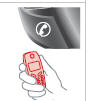
2. Press and hold the end of the steering wheel control for more than two seconds to access your phonebook.
Or
To dial a number, use the keypad of your phone with the vehicle stopped.
BLUETOOTH AUDIO STREAMING ! Wireless streaming of music files from the phone via the audio system. The phone must support the appropriate Bluetooth profiles (A2DP / AVRCP profiles).
1. Start pairing between the phone and the vehicle. Pairing can be started from the vehicle's telephone menu or via the phone's keypad. See steps 1 to 10 on the previous pages.
During pairing, the vehicle must be stopped and the key in the ON position.
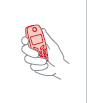
2. In the telephone menu, select the phone to connect.
The audio system connects automatically to a newly paired phone.
3.  Activate the streaming source by pressing the SOURCE button *.
Control of the usual tracks is possible using the Radio front panel buttons and steering wheel controls **. Contextual information can be displayed on screen.

* In some cases, playback of audio files must be started from the keypad.
** If the phone supports the function.
Test yourself
A quick Citroen C5 quiz: every answer comes with an explanation and a link to the manual page.