Pairing a Bluetooth phone
Procedure (short) via the phone
In the Bluetooth menu of the additional device, select the system name from the list of detected devices.
Enter a code of at least 4 digits on the additional device and confirm.
 Enter the same code in the system,
select "OK" and confirm.
Procedure via the system
Switch on Bluetooth on the phone and make sure it is "visible to all" (phone settings).
 Press Phone to
display the home page.
 Press the subpage.
 Select " Bluetooth connection
".
 Select " Search for device ".
The list of detected phones is displayed.
If pairing fails, it is recommended that you switch the phone's Bluetooth function off and on again.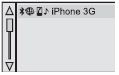 Select the phone name from the
list of detected devices, then select " Confirm ".
 Enter a connection code of at least
4 digits, then select " Confirm ".
Enter the same code on the phone, then accept the connection.
The system proposes connecting the phone:
- in " Phone " mode (hands-free kit, phone only),
- in " Streaming Audio " mode (streaming: wireless playback of music files from the phone),
- in " Internet " mode (web browser only, if the phone is compatible with the Bluetooth Dial-Up Networking "DUN" standard).
Select one or more profiles and confirm.
Available services depend on the network, the SIM card and the compatibility of the Bluetooth devices used. Read the phone's user manual and ask your operator for information on the services available. The system's ability to connect only one profile depends on the phone. Three profiles may connect by default.For more information, go to www.citroen.pl (compatibility, additional help...).
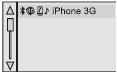 The recognised phone
appears in the list.
Depending on the device, it may ask for confirmation to connect automatically each time the ignition is switched on.
Depending on the phone type, the system asks you to allow or refuse copying of the phone book. If not, select
"Update".
When you return to the vehicle, the last connected phone (if present) reconnects automatically within about 30 seconds of switching on the ignition (Bluetooth active).
To change the automatic connection profile, deselect the phone in the list and select the desired setting.
Test yourself
A quick Citroen DS3 quiz: every answer comes with an explanation and a link to the manual page.