Features
Vehicle Information and Message from Honda Tips
In this manual: Features
~1min read
You can check the messages that are received quickly in the shortcut operation.
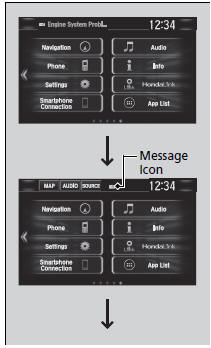
1. A message appears and notifies you of a new message on the header area.
- When the message is received, a notification ring can be heard.
2. A message icon is continuously displayed in the header area until the new message is read.

3. From the top of the screen, swipe down to see the messages.
4. Select a new message to open.
Test yourself
A quick Honda Civic quiz: every answer comes with an explanation and a link to the manual page.
Was this page helpful?