Cargo Security Screen
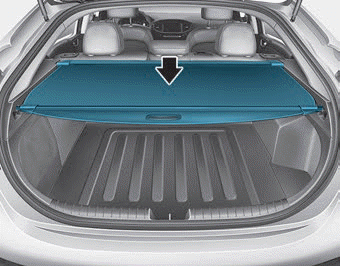
Use the cargo security screen to conceal items stored in the cargo area.
Using the Cargo Security Screen
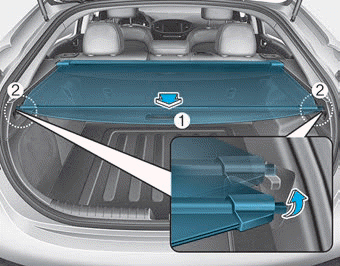
1. Pull the security screen toward the rear of the vehicle by the handle (1).
2. Insert the guide pin into the guide (2).
NOTICE
Extend the cargo security screen by the center handle to prevent the guide pin from coming out of the guide.
When the cargo safety screen is not in use:
1. Pull the cargo security screen rearward and upward to release it from the guides.
2. The cargo security screen will retract automatically.
NOTICE
The cargo security screen may not retract automatically if it is not fully extended. Pull it fully out, then release it.
To Remove the Cargo Security Screen
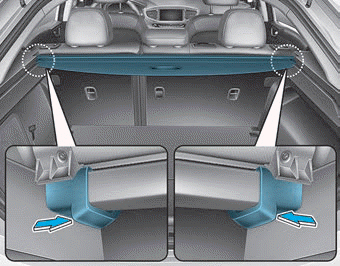
1. Press the lower part of the guide pins on both sides.
2. While pressing the guide pin on one side, pull out the cargo security screen.
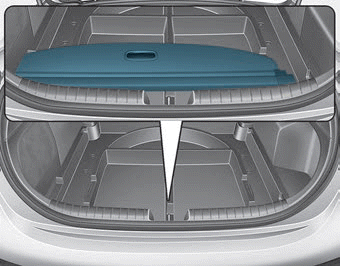
3. Open the luggage tray and leave the cargo security screen in the tray.
Test yourself
A quick Hyundai Ioniq quiz: every answer comes with an explanation and a link to the manual page.