Brake System
Repair Procedures
In this manual: Brake System
22steps
~147min
5/5difficulty
3special tools
Done 0 of 22
Inspection
- FCA ON/OFF is set in the USM (User Settings Mode) menu and is ON by default.
- While IGN is on, the setting remains on; however, the driver setting is not changed the next time IGN is turned on again.
- When VDC is off, FCA is also off.
Removal
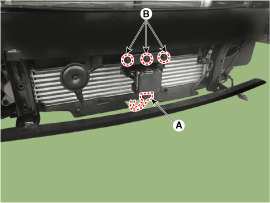
[FCA Radar]- Remove the front bumper cover. (Refer to Body - "Front Bumper Cover")
- Remove the FCA sensor (A).
- Loosen the bolts (B) and remove the FCA unit from the vehicle.
Installation
[FCA Radar]- To install, reverse the removal procedure.
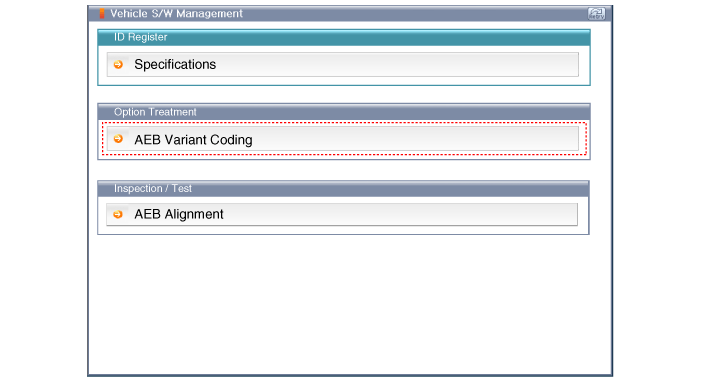
- Perform FCA radar alignment.
Adjustment
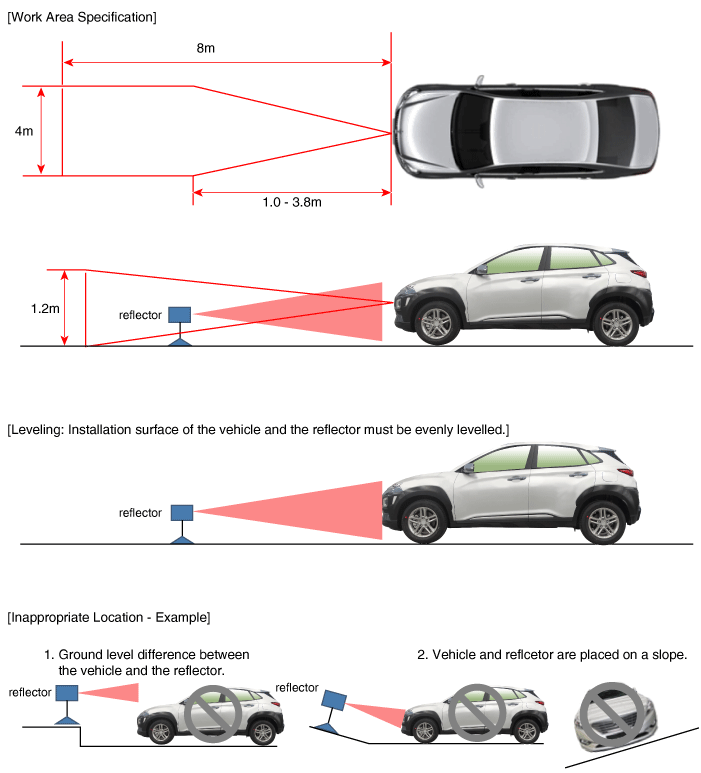
[(FCA) Radar Sensor Alignment] The FCA system is designed to help avoid a potential collision or reduce its severity when the driver applies insufficient braking, delayed braking, or no braking to avoid a collision. For the radar sensor to operate correctly, it must be properly aligned parallel to the vehicle's direction of travel. For this reason, the radar sensor alignment procedure must be performed whenever the sensor has been reinstalled or replaced with a new one. If the sensor alignment procedure is not performed under the conditions specified above, the Smart Cruise Control system may not operate correctly. [Radar Sensor Alignment]- Park the vehicle on a level surface.
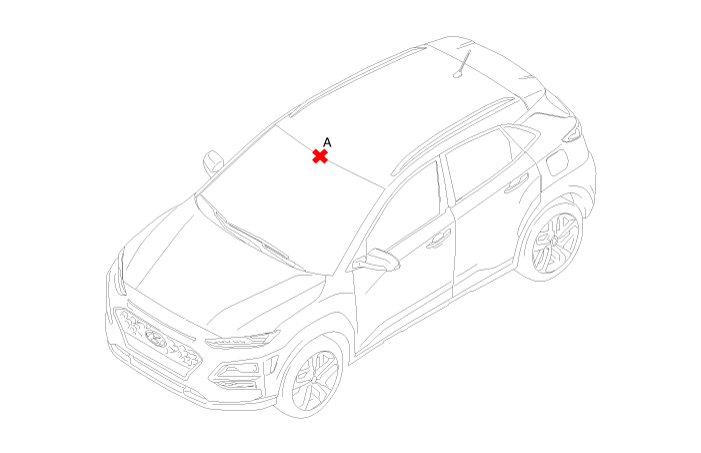
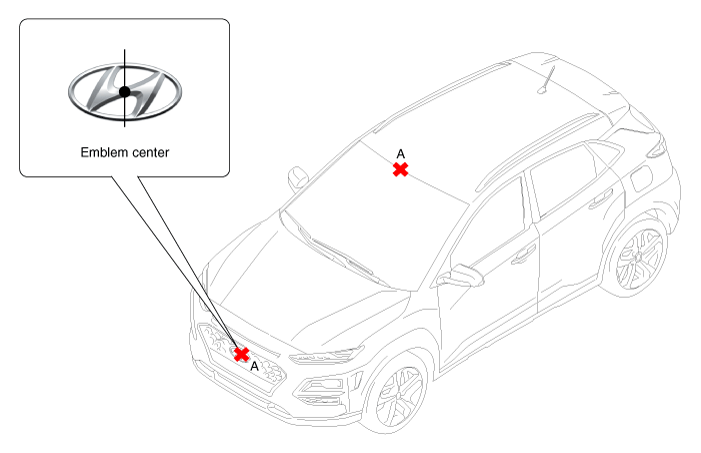
- Mark the center point on the upper part of the windshield (A).
- Mark the center point of the emblem (A).
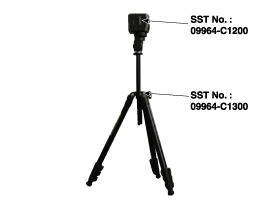
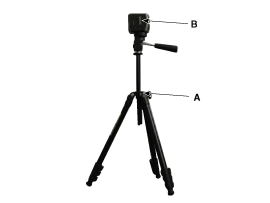
- Install the FCA calibration laser [SST No.: 09964-C1200] on the stand [SST No.: 09964-C1300].
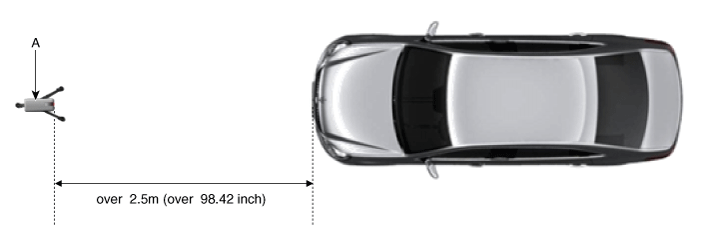
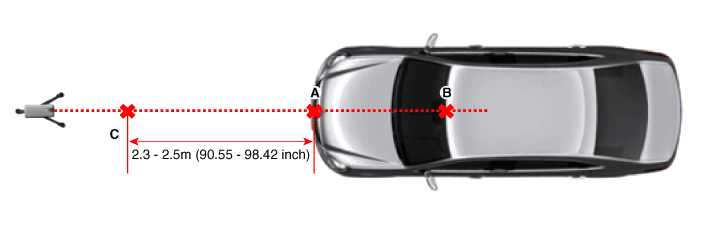
- Install the vertical/horizontal laser [SST No.: 09964-C1200] (A) at least 2.5 m in front of the vehicle.
- Align the vertical laser line with (A) and (B) using the vertical/horizontal laser (C) [SST No.: 09964-C1200].
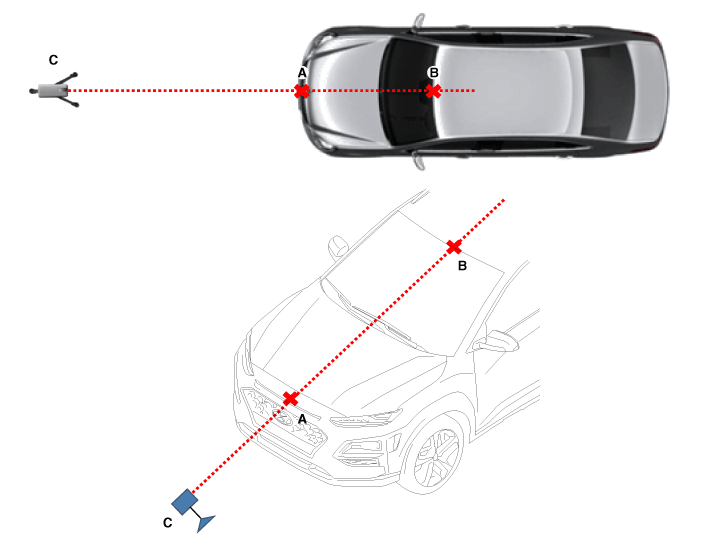
- Mark (C) at a distance of 2.3–2.5 m (90.55–98.42 in.) from (A) in front of the vehicle.
- Remove the FCA calibration laser [SST No.: 09964-C1200] (B) from the stand [SST No.: 09964-C1300] (A).
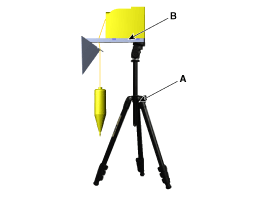
- Install the reflector [SST No.: 09964-C1100] (B) on the stand [SST No.: 09964-C1300] (A).
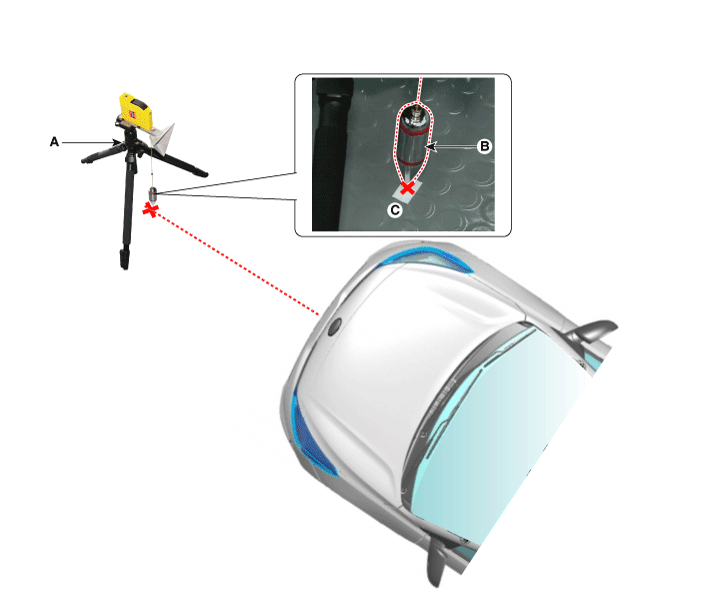
- Align the vertical weight (B) of the FCA calibration reflector [SST No.: 09964-C1100] (A) with point (C).
- Using the level vial (B) of the stand [SST No.: 09964-C1300] (A), set the reflector horizontally.
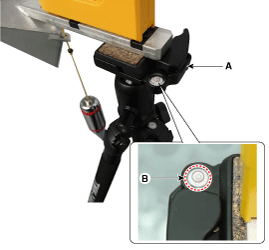
- Set the height of the FCA calibration reflector [SST No.: 09964-C1100] (A) to 339 mm (13.35 in.).
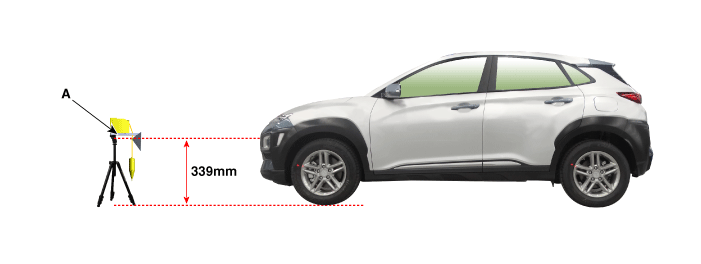
- Visually check the radar sensor and the front bumper surface again before proceeding to the next step.
- Connect the KDS/GDS to the vehicle DLC and start the sensor alignment.
- After selecting the correct vehicle model, select "FCA Alignment" from the additional functions in the KDS/GDS menu.
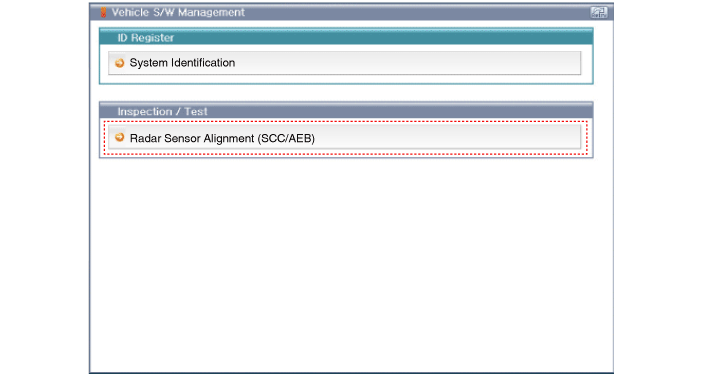
- Perform the sensor alignment as instructed on the KDS/GDS screen.
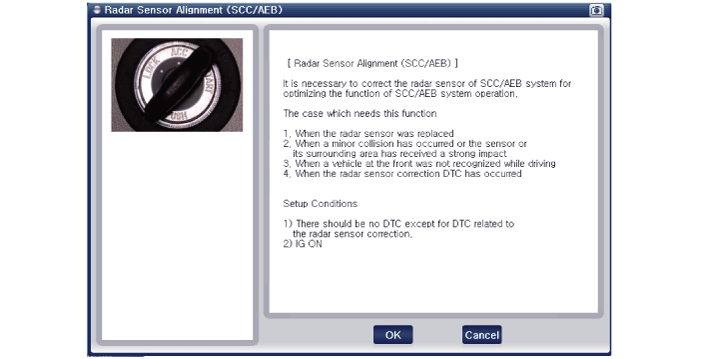
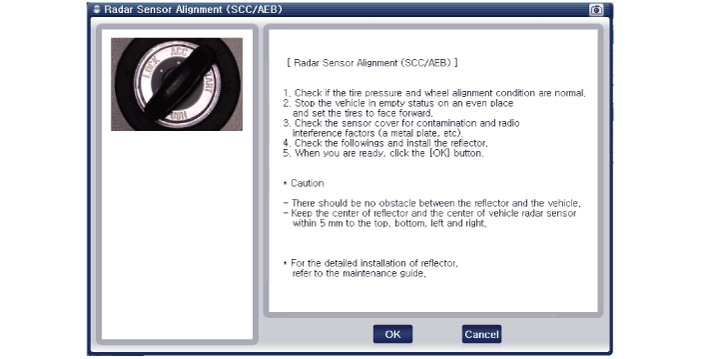
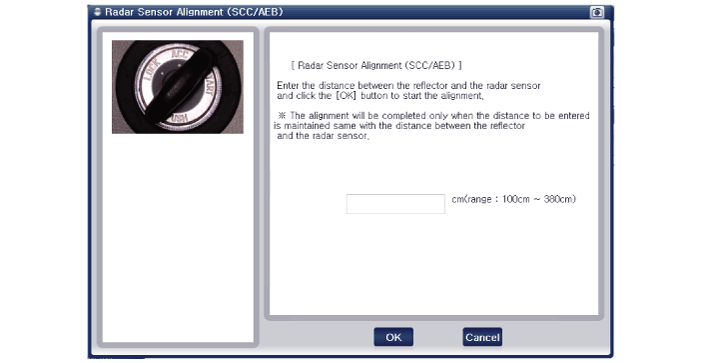
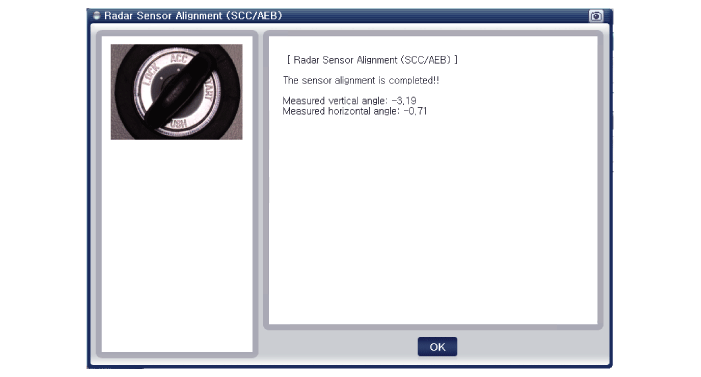
- If the sensor alignment fails, check the alignment conditions. Turn the ignition off, then repeat the sensor alignment procedure.
Test yourself
A quick Hyundai Kona quiz: every answer comes with an explanation and a link to the manual page.
Was this page helpful?