Driving Your Vehicle
To Set the Speed Limit
In this manual: Driving Your Vehicle
~1min read
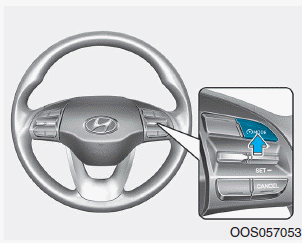
1. Press the Press the button to turn the system on. The speed limit indicator will illuminate on the instrument cluster.
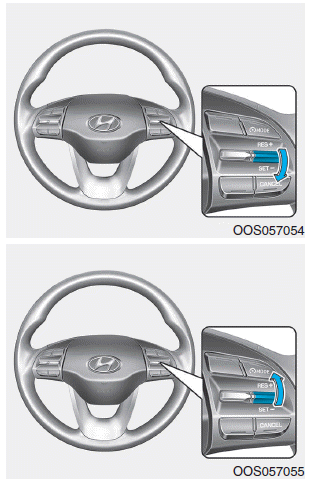
2. Push the switch down (SET-).
3.
- Push the switch up (RES+) or down (SET-) and release it at the desired speed.
- Push and hold the switch up (RES+) or down (SET-). The speed will increase or decrease by 5 km/h.
The set speed limit will be shown in the instrument cluster.
If you want to exceed the set speed limit, press the accelerator pedal less than approximately 50%. The vehicle speed will be maintained within the speed limit.
However, if you press the accelerator pedal more than 70%, you may exceed the speed limit. The set speed limit will then flash and a warning sound will be heard until you return the vehicle speed to within the speed limit.
Test yourself
A quick Hyundai Kona quiz: every answer comes with an explanation and a link to the manual page.
Was this page helpful?