Body Electrical System
USB Connector
In this manual: Body Electrical System
9steps
~54min
2/5difficulty
Done 0 of 9
Circuit Diagrams
Wiring Diagram
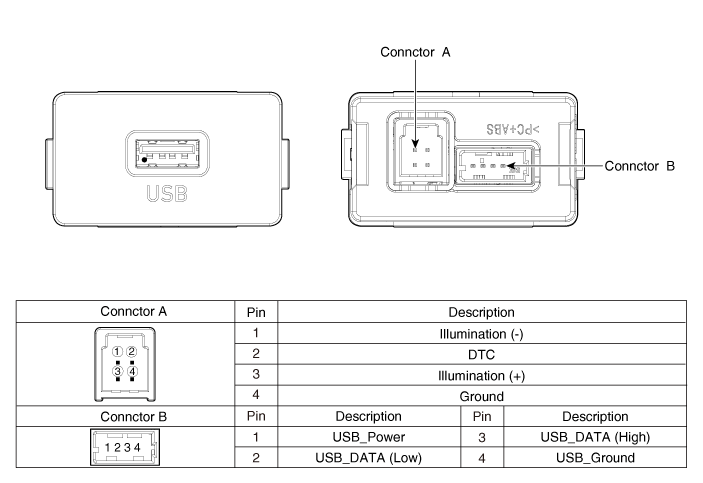
Description and Operation
Description
The AUX, iPod and USB jacks on the center console are intended for customers who want to listen to external portable music players, such as MP3 players, iPods, headphones, USB memory sticks, CD players, etc., through the vehicle audio system when connected to this jack. If sound distortion occurs, it may be caused by a mismatch in specifications between the units.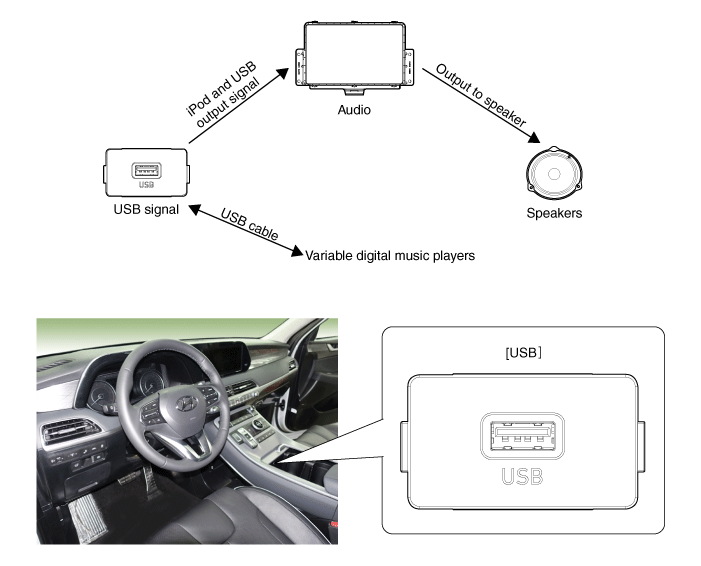
Repair Procedures
Removal
- Disconnect the negative (-) battery terminal.
- Remove the front console assembly. (Refer to Body - Floor Console Assembly)
- Remove the front console trim (A).
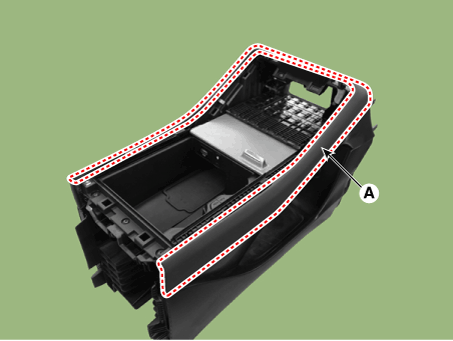

- When removing with a flat-tip screwdriver or a pry tool, wrap the tools with protective tape to prevent damage to the components.
- Remove the front console tray assembly (A).
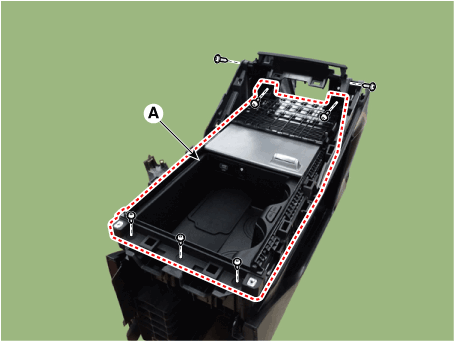
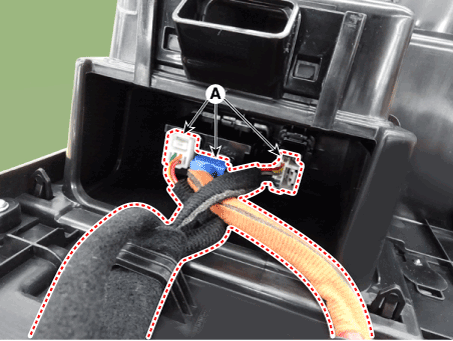
- Disconnect the connector (A).
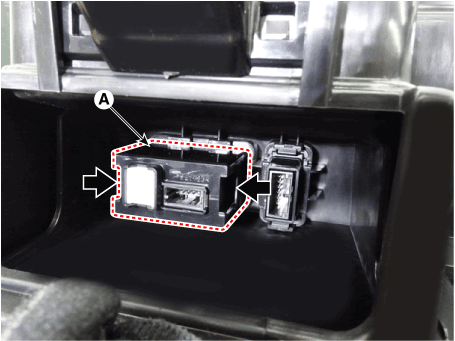
- Remove the USB (A) by pressing the fixing clip in the direction of the arrow, as shown below.
Installation
- Install the USB.
- Install the front console assembly.
- Connect the negative (-) battery terminal.
Test yourself
A quick Hyundai Palisade quiz: every answer comes with an explanation and a link to the manual page.
Was this page helpful?