Driver Assistance System
Driver Assistance System Settings
In this manual: Driver Assistance System
~1min read
Warning Timing
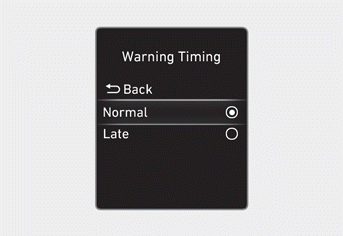
With the ignition ON, go to User Settings > Driver Assistance > Warning Timing (for cluster type) or Setup > Vehicle > Driver Assistance > Warning Timing (for infotainment system type) in the settings menu to change the initial warning activation timing. The Warning Timing is set to "Normal" at the factory.
If you change the warning timing, the timing of Forward Collision-Avoidance Assist, Blind-Spot Collision-Avoidance Assist, Driver Attention Warning, and Rear Cross-Traffic Collision-Avoidance Assist will be changed.
WARNING
- Even if the Warning Timing is set to "Late," the initial warning activation timing may not seem late if the vehicle ahead of you suddenly stops.
- Select "Late" for the warning timing when traffic is light and your vehicle speed is slow.
Information
When the engine is restarted, the Warning Timing retains its last setting.
Test yourself
A quick Hyundai Tucson LM quiz: every answer comes with an explanation and a link to the manual page.
Was this page helpful?