Forward Collision-Avoidance Assist Operation
The Forward Collision-Avoidance Assist system can warn and brake your vehicle depending on the level of collision risk.
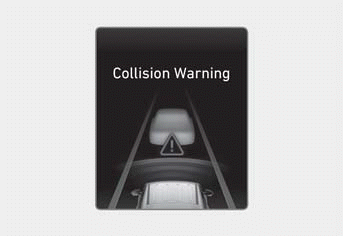
If the Forward Collision-Avoidance Assist system determines that a collision may occur, a warning message may appear on the instrument cluster and a warning sound will be heard when:
- A vehicle is detected and your vehicle speed is approximately 6-112 mph (10-180 km/h).
- A pedestrian or cyclist is detected and your vehicle speed is approximately 6-49 mph (10-80 km/h).
Emergency Braking
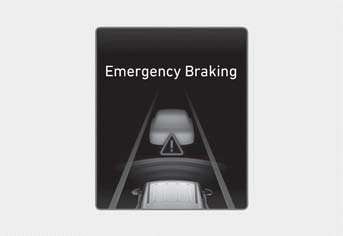
If the Forward Collision-Avoidance Assist system judges that avoiding a collision may be difficult, it applies higher braking force, which may help avoid a collision with the detected vehicle, pedestrian, or cyclist ahead.
A warning message may appear on the instrument panel and a warning sound will be heard when:
- A vehicle is detected and your vehicle speed is approximately 6-37 mph (10-60 km/h).
- A pedestrian or cyclist is detected and your vehicle speed is approximately 6-37 mph (10-60 km/h).
Vehicle Stop and Brake Control Release
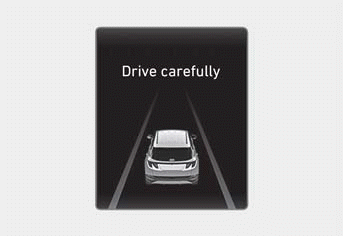
After your vehicle has stopped following an emergency braking event, a "Drive Carefully" warning message may appear on the instrument cluster.
Immediately depress the brake pedal and check your surroundings.
- Braking control ends approximately 2 seconds after your vehicle has stopped following an emergency braking event.
WARNING
The Forward Collision-Avoidance Assist system cannot operate in all situations and cannot avoid all collisions.
To avoid serious injury or death:
- Change the settings only after parking your vehicle in a safe place.
- Always control your vehicle. Do not rely on Forward Collision-Avoidance Assist. Always keep a safe distance from vehicles ahead and reduce vehicle speed as necessary.
- Forward Collision-Avoidance Assist may stop working, may not work, or may work unnecessarily depending on road and surrounding conditions.
- Only when Forward Collision-Avoidance Assist is set to warning or assist and ESC is turned off by pressing and holding the ESC OFF button, Forward Collision-Avoidance Assist is automatically turned off. Then, the Forward Collision-Avoidance Assist options cannot be changed in the Settings menu and
 the ESC OFF indicator light illuminates on the instrument cluster. If ESC is turned on again by pressing the ESC OFF button, Forward Collision-Avoidance Assist retains its last setting.
- Never attempt to activate Forward Collision-Avoidance Assist by intentionally driving toward people, animals, objects, or other vehicles.
- Forward Collision-Avoidance Assist may not help stop the vehicle if you do not press the brake pedal sufficiently in response to a potential hazard detected by the function, and collisions may not be avoided in all cases.
- During Forward Collision-Avoidance Assist operation, your vehicle may stop suddenly. Always wear your seat belt, make sure your passengers' seat belts are fastened, and secure loose items that could become projectiles.
- When a warning message or warning sound from another system is displayed or heard, Forward Collision-Avoidance Assist may not warn you.
- You may not hear the Forward Collision-Avoidance Assist warning sound if the surrounding environment is too noisy.
WARNING
- Even if there is a problem with Forward Collision-Avoidance Assist, the vehicle's braking system operates normally.
- During emergency braking, Forward Collision-Avoidance Assist braking is automatically canceled if you press the accelerator pedal or steer the vehicle sharply.
- Depending on the vehicle, pedestrian, or cyclist detected, and the surrounding environment, speed, or detection ranges for Forward Collision-Avoidance Assist may be reduced. The function may not operate or may be limited.
- Forward Collision-Avoidance Assist operates only under certain conditions that determine the level of risk:
- Condition of other vehicles
- Direction of other vehicles
- Vehicle speed
- Surroundings - If your vehicle speed is too high or the speed difference with other vehicles is too large, the function may be limited or may not operate.
Information
- When a collision is unavoidable, braking assistance may help if you do not press the brake pedal sufficiently.
- Images and colors on the instrument cluster may differ depending on the cluster type or the theme selected in the Settings menu.
Test yourself
A quick Hyundai Tucson LM quiz: every answer comes with an explanation and a link to the manual page.