Navigation-Based Smart Cruise Control Operation
Navigation-Based Smart Cruise Control may be available when:
- Highway Auto Speed Change is selected in the settings menu.
- Smart Cruise Control is operating.
- You are driving on a controlled-access road.
Information
For more details on how to operate Smart Cruise Control, refer to "Smart Cruise Control (SCC)" in this chapter.
Navigation-Based Smart Cruise Control Display
The following may appear on the instrument cluster display:
- Navigation-Based Smart Cruise Control Standby Mode
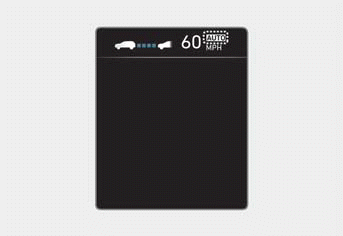
If the operating conditions are met, the white indicator light is on.
- Navigation-Based Smart Cruise Control Active Mode
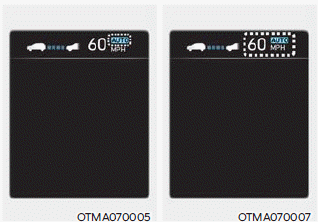
When Navigation-Based Smart Cruise Control is operating, the greenindicator light illuminates.
When Highway Auto Speed Change is active,the indicator light and set speed illuminate in green on the instrument cluster, and a warning sound is heard.
WARNING
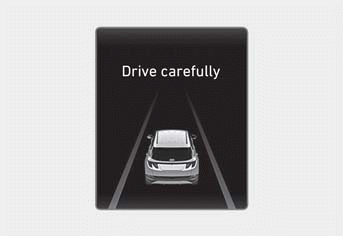
The "Proceed with Caution" warning message appears if Navigation-Based Smart Cruise Control cannot brake your vehicle.
Information
- Highway deceleration and the Highway Auto Speed Change function use the same indicator.
- Images and colors on the instrument cluster may differ depending on the cluster type or the theme selected in the Settings menu.
Highway Curve Deceleration
Depending on the curve ahead on the highway, your vehicle decelerates, and after passing the curve, your vehicle accelerates to the Smart Cruise Control set speed.
- The braking timing may vary depending on your vehicle speed and the degree of the road curve. The higher the speed, the earlier deceleration begins.
Highway Automatic Speed Change
Highway Auto Speed Change operates when the Smart Cruise Control set speed is the same as the highway speed limit.
While Highway Auto Speed Change is active and the highway speed limit changes, the Smart Cruise Control set speed automatically changes to the current speed limit.
- If Highway Auto Speed Change switches to standby while driving on a road other than a controlled-access road, Highway Auto Speed Change will operate again when you drive on a controlled-access road again without setting the speed.
- If Highway Auto Speed Change switches to standby by pressing the brake pedal or pressing the
 button on the steering wheel, press the
 button to resume the function.
Information
- If the set speed is set to a speed other than the speed limit, Highway Auto Speed Change is in standby and does not adjust the set speed when the highway speed limit changes.
- Highway Auto Speed Change does not operate at interchanges or junctions.
- Highway Auto Speed Change only operates according to the speed limits of the controlled-access road; it does not work with speed cameras.
- When Highway Auto Speed Change is operating, your vehicle automatically accelerates or decelerates when the speed limit on the controlled-access road changes.
- The maximum set speed for Highway Auto Speed Change is 90 mph (140 km/h).
- If the speed limit of the new controlled-access road is not updated in the navigation system, Highway Auto Speed Change may not operate properly.
- If the speed unit (mph or km/h) is not set to the speed unit used in your country, Highway Auto Speed Adjustment may not operate properly.
Test yourself
A quick Hyundai Tucson LM quiz: every answer comes with an explanation and a link to the manual page.