Using Voice Recognition
Starting Voice Recognition
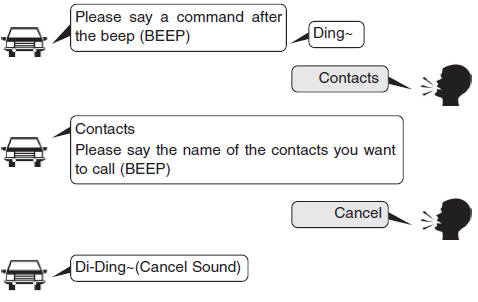
Briefly press the Press the key on the steering wheel remote control and speak the command.
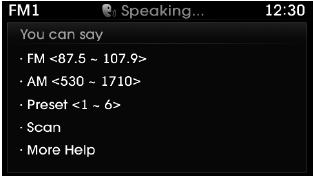
If Quick Feedback is turned on, the system will say "Please say a command" after the beep (BEEP).
- If Quick Feedback is set to [OFF], the system will only sound a beep "(BEEP)".
- To change Quick Feedback [On]/[Off], go to

 [System]
 [Quick Feedback]
✽ NOTICE
For proper recognition, speak the command after the voice instruction and the beep tone.
Contact List Recommendations
1) Do not store entries with a single name (for example, "Bob", "Mom", "Kim", etc.).
Always use full names (including first and last names) for all contacts instead (for example, use "Jacob Stevenson" instead of "Dad").
2) Do not use abbreviations (for example, use "Lieutenant" instead of "Lt." or "Sergeant" instead of "Sgt.").
3) Do not use acronyms (for example, use "County Finance Department" instead of "CFD").
4) Do not use special characters (for example, "@", "hyphen -", "asterisk *", "ampersand &").
5) If a name is not recognized in the contact list, change it to a more descriptive name (for example, use "Grandpa Joseph" instead of "Pa Joe").
Skipping Prompts
While a prompt is being announced Briefly press the
 key on the steering wheel remote control
The prompt stops immediately and a beep sounds. After the "beep," speak the voice command.
Restarting Voice Recognition
While the system is waiting for a command Briefly press the
 key on the steering wheel remote control
The command waiting state ends immediately and a beep sounds. After the "beep," speak the voice command.
Starting a Voice Command
Briefly press the key (less than 0.8 seconds):
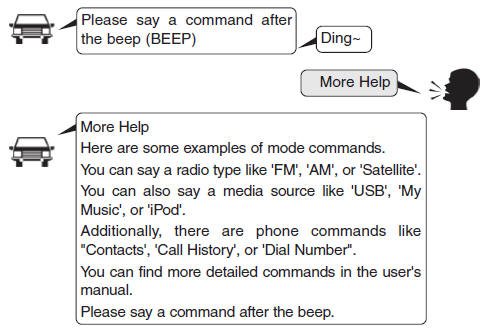
Skipping Voice Recognition
Briefly press the key (less than 0.8 seconds):
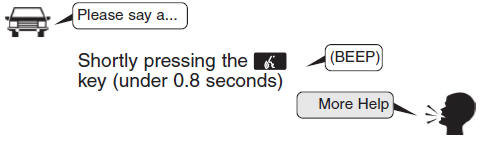
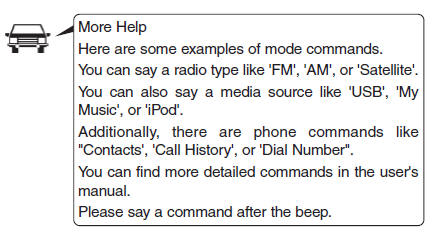
End the voice command.
Briefly press the key (less than 0.8 seconds):
Test yourself
A quick Hyundai Tucson LM quiz: every answer comes with an explanation and a link to the manual page.