To Set the Speed Limit

1. Press the SPEED LIMIT button on the steering wheel to turn on the system.

The speed limit indicator will illuminate.
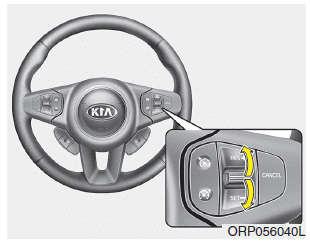
2. Move the lever down (to SET-).
3. Move the lever up (to RES+) or down (to SET-) and release it at the desired speed. Move the lever up (to RES+) or down (to SET-) and hold it. The speed will increase or decrease by 5 km/h. Move the lever up (to RES+) or down (to SET-) and release it immediately. The speed will increase or decrease by 1 km/h.
The set speed limit will be shown in the instrument cluster.
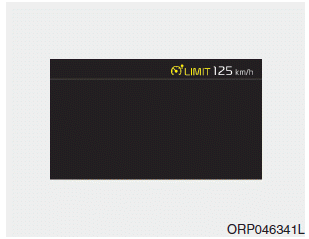
The set speed limit will be displayed.
To exceed the set speed limit, depress the accelerator pedal firmly (more than approximately 80%) until the kickdown mechanism engages with a clicking noise. The set speed limit will then flash and a warning tone will sound until you return the vehicle speed within the permitted speed.
✽ NOTICE
- When the accelerator pedal is depressed less than 50%, the vehicle will not exceed the set speed limit, but will maintain the vehicle speed within the speed limit.
- A clicking noise from the kickdown mechanism when the accelerator pedal is fully depressed is normal.
Test yourself
A quick Kia Carens RP quiz: every answer comes with an explanation and a link to the manual page.