Vehicle Specifications
Audio CD Mode Menu
In this manual: Vehicle Specifications
~1min read
In this mode, you can access the information, random, repeat and list functions.
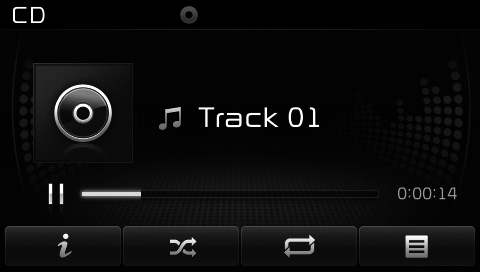
Information
press button to display information about the current disc.
Random
press Press the button to play tracks in random order.
Press the button again to turn the Random function off.
• Random: Plays all tracks in random order.
Repeat
press Press the button to repeat the current track. Press the button again to turn off the Repeat function.
• Repeat: Repeats the current track.
List
press Button to display the track list screen.
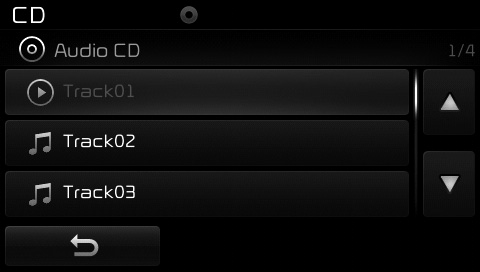
Turn Turn the TUNE knob left/right to search for tracks. Once the desired track is displayed, press the knob to select and play it.
Test yourself
A quick Kia Cee'd quiz: every answer comes with an explanation and a link to the manual page.
Was this page helpful?