Clock / Date / Outside Temperature
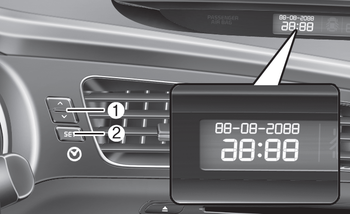
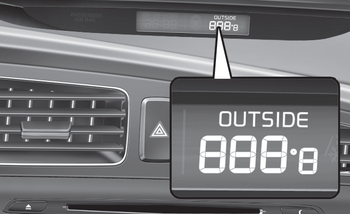
The display shows the outside temperature, date and time.
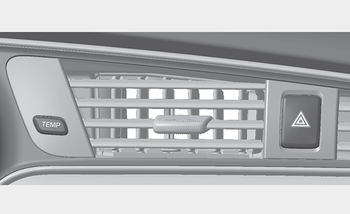
To change the date, time or temperature unit (°C ↔ °F), press and hold the SET (2) or Temp button for more than 1 second.
You will then enter setup mode, and the mode changes in the following order each time you press the SET (2) button for less than 1 second.
HOUR → MINUTE → YEAR → MONTH → DAY → 12H/24H → TEMPERATURE UNIT CHANGE → Exit setup mode
Press the SET (2) button for less than 1 second to select a mode, and set the data using the UP (1, ▲) and DOWN (1, ▼) buttons while the selected setting flashes.
To cancel SET UP mode, do one of the following:
- Press the SET button for less than 1 second while in the temperature unit change mode
- Press and hold the SET button for more than 1 second in any setup mode
- Wait 15 seconds without pressing any button
- Turn the ignition switch ON or OFF while in setup mode
- Disconnect the battery
Test yourself
A quick Kia Cee'd quiz: every answer comes with an explanation and a link to the manual page.