MP3 CD Mode Menu
In this mode, you can access the information, random, repeat, copy, and list functions.
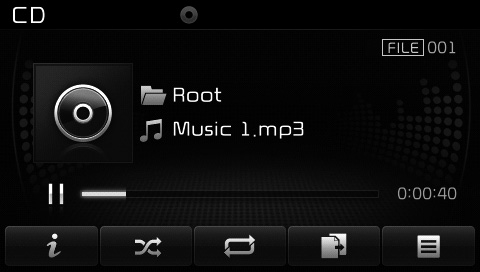
Information
press button to display details about the current file.
✽ NOTICE
- When the "Folder File" option is set as the default display in Display Setting, album/artist/file information is displayed as detailed file information.
- When the "Album Artist Song" option is set as the default display, the folder/file name is displayed as detailed file information.
- Title, artist, and album information is only displayed when such information is recorded in the ID3 tag of the MP3 file.
Random
press button to play files in random order.
Each time the button is pressed, the function changes in the following order: Random Folder ➟ Random All ➟ Off.
- Random Folder: Plays all files in the current folder in random order.
- Random All: Plays all files in random order.
Repeat
press button to repeat the current file or folder.
Each time the button is pressed, the function changes in the following order: Repeat Folder ➟ Off.
- Repeat: Repeats the current file.
- Repeat Folder: Repeats all files in the current folder.
Copying Files
press button to copy the current file to My Music.
✽ NOTICE
If another function is selected during copying, a pop-up window will appear asking whether you want to cancel copying. To cancel, select "Yes".
List
press Button to display the file list screen.
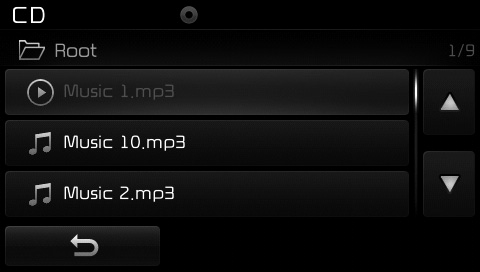
Turn Turn the TUNE knob left/right to search for files. When the desired file is displayed, press the knob to select and play.
Test yourself
A quick Kia Cee'd quiz: every answer comes with an explanation and a link to the manual page.