Getting to know your vehicle
Displays and indicators
In this manual: Getting to know your vehicle
~1min read
Tachometer 1 (graduations x 1,000)

Driving style indicator 3
Refer to the "ECO driving" section in chapter 2.
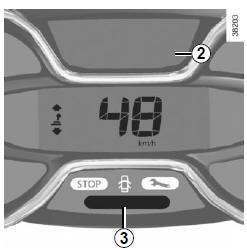
Engine oil level minimum warning
When the engine is started, display 2 warns when the minimum oil level is reached. Refer to the "Engine oil level" section in chapter 4.
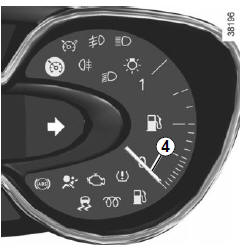
Fuel level indicator 4
Speedometer 5 (km/h or mph)

Overspeed audible alarm
Depending on the vehicle, an audible alarm sounds for about 10 seconds every 30 seconds, as long as the vehicle exceeds 120 km/h.
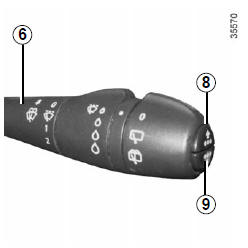
Instrument cluster in miles (possibility to switch to km/h)
- With the ignition off, press one of the buttons 8 or 9 at the end of lever 6 and the start button 7;
- the speed unit indicator flashes for about ten seconds, then the new unit is displayed: release button 8 or 9 as soon as the unit stops flashing.
To return to the previous setting, perform the same operation.
Note: after a battery disconnection, the trip computer will automatically revert to the original unit.
Test yourself
A quick Renault Captur quiz: every answer comes with an explanation and a link to the manual page.
Was this page helpful?