Rear view camera
Operating principle
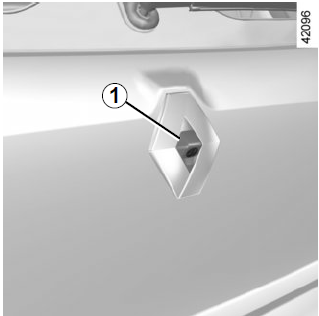
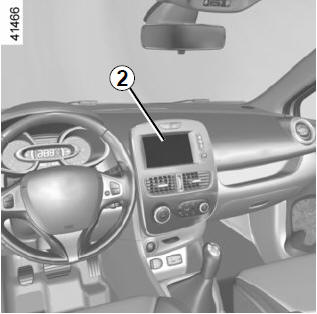
When reverse gear is engaged, camera 1 (located on the tailgate on five-seat versions, or near the number plate light on estate versions) sends a view of the area behind the vehicle to touch screen 2, together with, depending on vehicle version, the moving and fixed distance measurement lines.
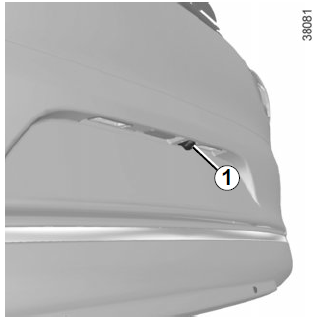
Note: make sure the rear view camera is not covered (dirt, mud, snow, etc.).
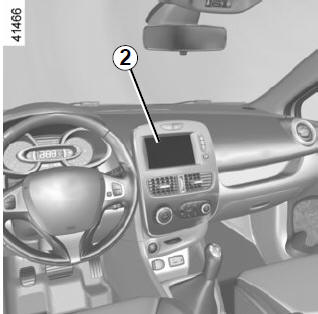
Note: depending on vehicle version, some settings can be adjusted on touch screen 2. Refer to the equipment user guide.
This function is an additional driving aid. It in no way replaces the driver's attentive and responsible driving.The driver must always be prepared for sudden events while driving: when manoeuvring, watch for moving obstacles (such as a child, animal, pushchair, bicycle, etc.) or small obstacles (stone, post, etc.).
Moving distance measurement line 3 (depending on vehicle version)
Shown in blue on screen 2. It indicates the vehicle's path depending on steering wheel position.
Fixed distance measurement lines 4. The fixed distance measurement lines consist of coloured markers A, B and C indicating the distance behind the vehicle:
- A (red) approximately 30 centimetres from the vehicle;
- B (yellow) approximately 70 centimetres from the vehicle;
- C (green) approximately 150 centimetres from the vehicle.
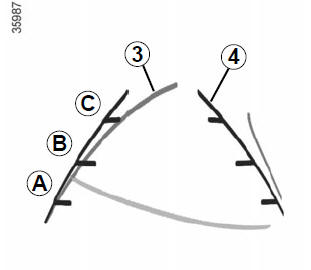
These distance measurement lines remain fixed and show the vehicle's path when the wheels are set straight ahead.
When using this system, first observe the measurement lines (moving for the path and fixed for distance). Once the red zone is displayed, to park precisely, follow the camera image showing the bumper.
The screen shows a reversed image. The distance measurement lines are a projection onto a flat ground surface; ignore information from these lines when they overlap a vertical obstacle or an object standing on the ground. Objects appearing at the edge of the screen may be distorted. In case of excessive light (snow, vehicle standing in the sun...), the camera image may be disturbed.If the boot is open or not properly closed, the message "BOOT OPEN" is displayed and, depending on vehicle version, the camera image disappears.
Test yourself
A quick Renault Clio quiz: every answer comes with an explanation and a link to the manual page.