Audio system types
- Vehicles with an entune premium audio with navigation
Refer to the “navigation and multimedia system owner’s manual”.
- Vehicles with an entune audio plus
Refer to the “navigation and multimedia system owner’s manual”.
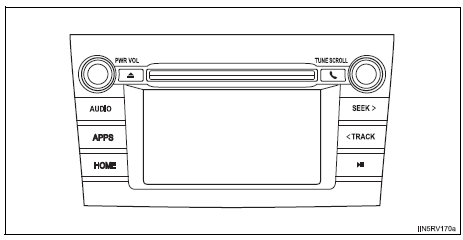
- Vehicles with an entune audio
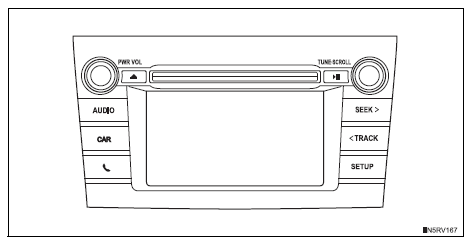
- Vehicles without an entune premium audio with navigation or entune audio plus or entune audio
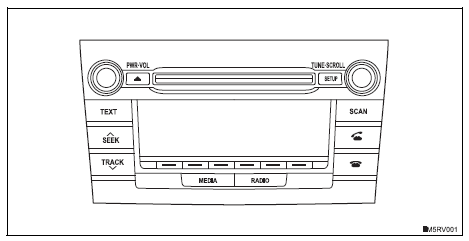
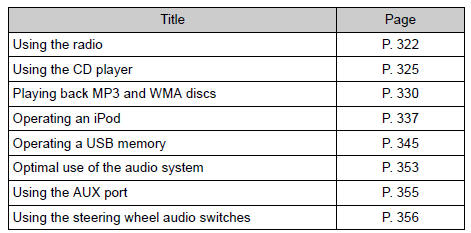
Changing language setting
- Press the “setup” button.
- Turn the “tune•scroll” knob to select “language”.
- Press the knob.
- Turn the knob as corresponds to the desired language.
“English”, “español”, or “français” can be selected.
Press the knob or  (save) to return to
the setup menu.
Interference may be heard through the audio system’s speakers if a cellular phone is being used inside or close to the vehicle while the audio system is operating.
Caution Certification for the disc player- Part 15 of the fcc rules
Fcc warning: changes or modifications not expressly approved by the party responsible for compliance could void the user’s authority to operate the device.
- Laser products
- Do not take this unit apart or attempt to make any changes yourself.
This is an intricate unit that uses a laser pickup to retrieve information from the surface of compact discs. The laser is carefully shielded so that its rays remain inside the cabinet. Therefore, never try to disassemble the player or alter any of its parts since you may be exposed to laser rays and dangerous voltages.
Do not leave the audio system on longer than necessary with the engine is stopped.
To avoid damaging the audio systemTake care not to spill drinks or other fluids over the audio system.
Test yourself
A quick Toyota RAV4 quiz: every answer comes with an explanation and a link to the manual page.