Медиаплеер
Обмен данными для услуг
Место в руководстве: Медиаплеер
2шагов
~12мин
1/5сложность
Выполнено 0 из 2
If you haven't activated data sharing for a connected service or for downloaded apps, you can do this when you start them in your center display. The first time that you start a service, or e.g. after a factory reset or certain software updates, you will also need to accept Volvo's terms and conditions for connected services.
Включение обмена данными при запуске службы
- Select the function or service you want to activate.
- Если это первый раз, когда вы используете службу или после, например, a factory reset or certain software updates, you will first need to accept Volvo's terms and conditions for connected services in order to continue.
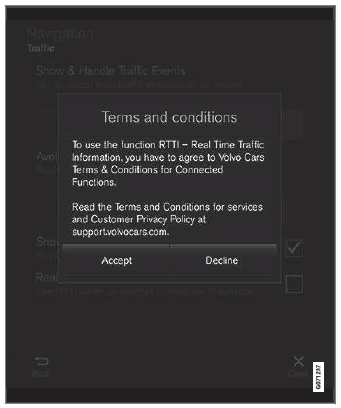
- Примите обмен данными для службы или отмените. If you choose to accept, data sharing will be enabled and you can begin using the service.
Включение обмена данными при запуске приложения
To accept data sharing for an app that needs the function, start the app and tap принимать in the pop-up window.
You can disable data sharing for services and apps in the settings menu under System  Privacy and data
 Data Sharing.
Проверьте себя
Короткий тест по Volvo XC90: после ответа — пояснение и ссылка на страницу руководства.
Страница помогла?