Selecting a Destination by City Name
1. Select "City" or the city name already shown on the screen and press the controller.
2. Select the first letter of the city name and press the controller. The control display shows a list of all cities beginning with that letter.
3. Corrections:

► To delete the last letter or digit, select , slide the controller to the right and press the controller.
► To delete all letters or digits, select , slide the controller to the right, then press and hold the controller.
4. If necessary, enter the next letters.
With each additional letter, the list becomes shorter.
► To enter a space:
select and press the controller.
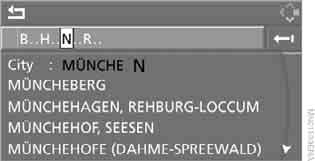
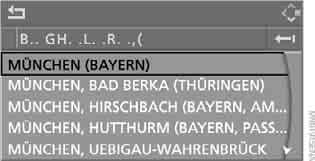
5. Move to the third field from the top.
Turn the controller to select the city and press the controller.
Test yourself
A quick BMW X3 quiz: every answer comes with an explanation and a link to the manual page.