Viewing traffic information
During route guidance
During route guidance, traffic information can be superimposed on the arrow display or the route map.
The symbol appears on the screen with a red border – traffic information is available for the calculated route.
Select and press the controller.

During route guidance, a triangle with a red border indicates that traffic information is available for the calculated route.
Traffic information for the planned route is shown on the control display. The items are sorted by distance.
When route guidance is switched off
1. Open the main menu.
2. Move the controller to the right to open the "Navigation" menu.
3. Select "Traffic information" and press the controller.
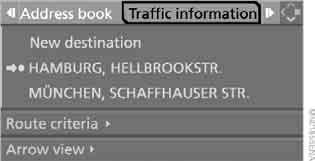
Traffic information for the planned route is shown on the control display. The items are sorted by distance.
Test yourself
A quick BMW X3 quiz: every answer comes with an explanation and a link to the manual page.