Saving the current location
The current location can be saved in the address book.
"Business" navigation system
1. Select "Address book" and press the controller.
2. Move the controller back so that the selection marker moves to the second field from the top. Turn the controller and select "Save location", then press the controller.
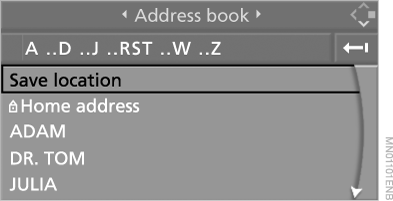
A previously assigned name can be changed. For editing, refer to "Entering a destination manually".
3. Select "Save address" and press the controller.
If you have left the region covered by the DVD, the current location can be saved in the address book. In this case, you must give this location a name.
"Professional" Navigation System
1. Select "Address book" and press the controller.
2. Move the controller back so that the selection marker moves to the second field from the top. Turn the controller and select "New address", then press the controller.
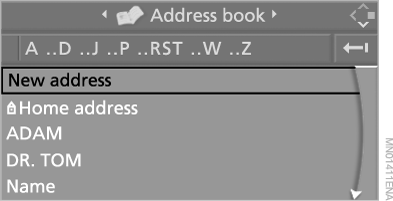
3. Select "Use current location as address" and press the controller.
A previously assigned name can be changed. For editing, refer to "Entering a destination manually".
4. Select "Save address" and press the controller.
If you have left the region covered by the DVD, the current location can be saved in the address book. In this case, you must give this location a name.
Test yourself
A quick BMW X5 quiz: every answer comes with an explanation and a link to the manual page.