General operation
Press the MODE button repeatedly to access the following menus:

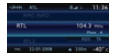 RADIO / MUSIC MEDIA PLAYERS
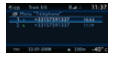 PHONE (if a call is in progress)
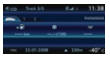 ON-BOARD COMPUTER
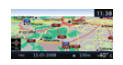 FULL-SCREEN MAP
 NAVIGATION (if guidance in progress)

SETUP: languages *, date and time *, display, vehicle settings *, units and system settings, "Demonstration mode".
* Depending on model.

TRAFFIC: TMC traffic information and messages.
 To clean the screen, it is recommended to use a soft, non-abrasive cloth (spectacle cloth) without any additional product.
! For an overview of the menu options available, refer to the chapter "Screen menu structure".
DISPLAY DEPENDING ON CONTEXT
 Press the OK dial to access shortcut menus depending on the screen display.
NAVIGATION (IF GUIDANCE IN PROGRESS):
1. Cancel guidance
1. Repeat message
1. Change route
1. Route info
2. View destination
2. Trip information
3. Guidance criteria
3. Exclusion criteria
3. Number of satellites
2. Move map
1. Voice message
1. Guidance option
TELEPHONE:
1. Hang up
1. Hold
1. Call
1. DTMF tones
1. Handset mode
1. Mic off
MUSIC MEDIA PLAYERS:
1. Traffic information (TA)
1. Playback options
2. Normal
2. Random
2. Repeat folder
2. Track introduction
1. Select source
RADIO:
1. In FM mode
2. Traffic info (TA)
2. RDS
2. Radiotext
2. Regional mode
2. AM band
1. In AM mode
2. Traffic info (TA)
2. Refresh AM list
2. FM band
FULL-SCREEN MAP:
1. Cancel guidance / Resume guidance
1. Destination
1. Points of interest
1. Location info
1. Map settings
1. Move map
Test yourself
A quick Citroen C5 Aircross quiz: every answer comes with an explanation and a link to the manual page.