PERFORMANCE PAGES
Performance Pages is an application that displays performance readings received from the instrument cluster, helping you become familiar with your vehicle's capabilities in real time.
To access the Performance Pages, press the Apps button on the touchscreen, then press the Performance Pages button on the touchscreen. Press the desired button on the touchscreen to access that specific performance page.
Performance Pages include the following:
- Home
- Timers
- Gauges
- G-Force
- Engine
- Dyno
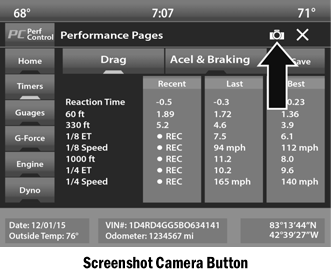
If a USB drive is installed in the media center, press the camera icon at the top right of the touchscreen while using Performance Pages. A screenshot of the page will be taken and saved to the USB drive.
Each feature and its operation is described below:
Test yourself
A quick Dodge Charger quiz: every answer comes with an explanation and a link to the manual page.