General information
Note: The display will remain on for a few minutes after the ignition is switched off.
Various systems can be programmed using the audio unit controls.
Device list
The icon changes to show which function is currently in use.
 CD player
 Radio
 External sources
 Telephone
 Settings
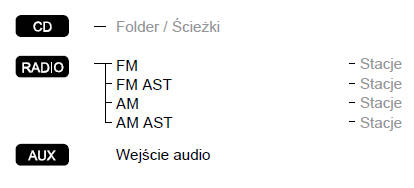
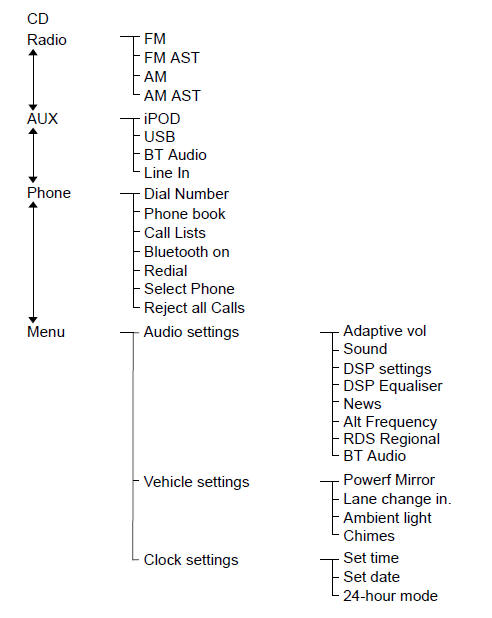
Menu structure
Type 1
Controls
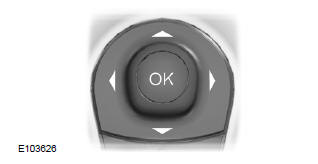
Press the up or down arrow button to scroll through and highlight menu options.
Press the right arrow button to open a submenu.
Press the left arrow button to exit the menu.
Press and hold the left arrow button to return to the main menu screen at any time (exit button).
Press the OK button to select and confirm a setting.
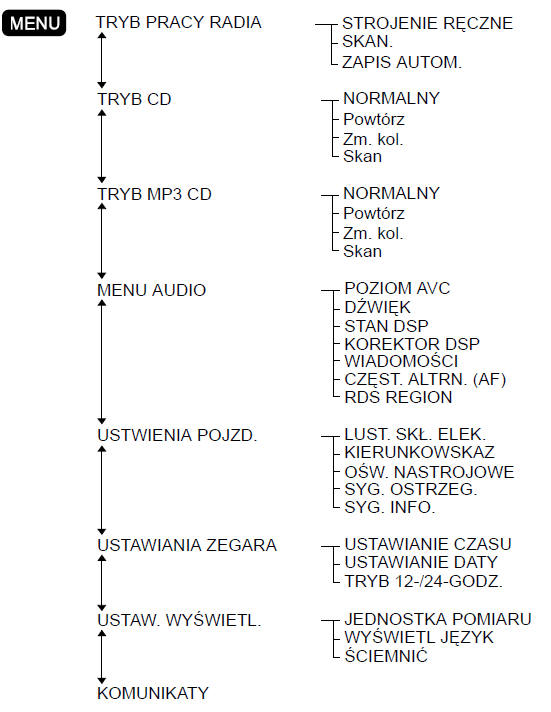
Type 2
Note: The phone menu depends on the phone features available, connection status, etc.
Use the MENU button and the left arrow button to access the menu.
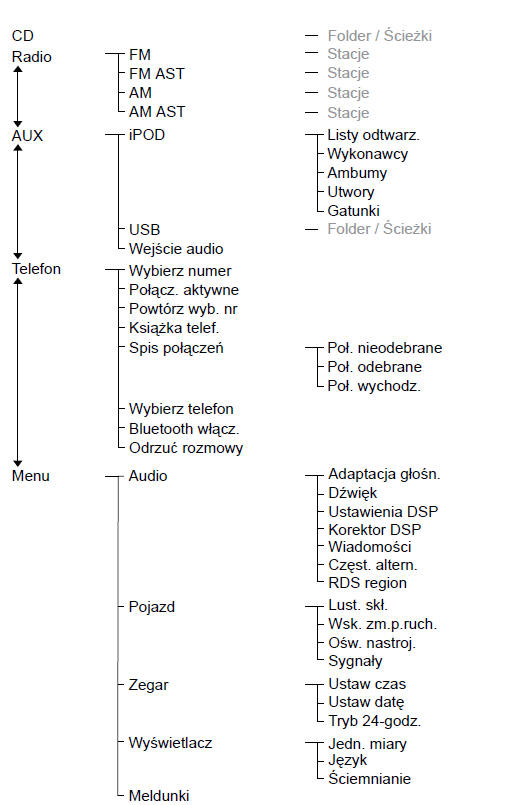
Type 3
Note: The phone menu depends on the phone features available, connection status, etc.
Use the MENU button and the left arrow button to access the menu.
Test yourself
A quick Ford Fiesta quiz: every answer comes with an explanation and a link to the manual page.