Trip computer
In this manual: Trip computer
2steps
~12min
1/5difficulty
Done 0 of 2
 Outside air
temperature- Trip computer
Trip computer
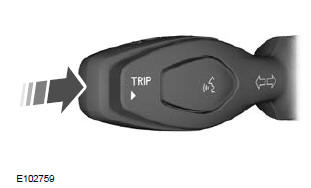
Press the button to scroll through the display screens.
To reset the trip meter, average fuel consumption and average speed readings, scroll to the relevant screen, then press and hold the button.
The trip computer includes the following information screens:
Trip meter
Records the distance of a single journey.
Range on fuel in tank
Shows the approximate distance the vehicle can travel on the fuel remaining in the tank. Changes in driving style may cause the displayed value to change.
Average fuel economy
Shows the average fuel consumption since the last reset.
Average speed
Shows the average speed since the last reset.
Odometer
Records the total distance travelled by the vehicle.
Test yourself
A quick Ford Fiesta quiz: every answer comes with an explanation and a link to the manual page.
Was this page helpful?