Coasting Guide (Plug-in Hybrid Vehicle)
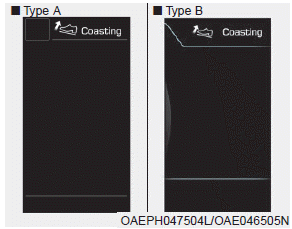
The Coasting Guide function informs the driver when to release the accelerator pedal, anticipating a deceleration event* based on analysis of driving routes and road conditions. It prompts the driver to release the pedal and allow the vehicle to coast with the electric motor only. This helps prevent unnecessary fuel consumption and improves fuel efficiency.
Information
Examples of deceleration events: turning right/left, passing through a roundabout, entering or exiting a highway (motorway), etc.
The driver can activate the Coasting Guide function by placing the ignition switch in the ON position and selecting:
• User Settings
User Settings → Driver Assistance → Coasting Guide
To view an explanation of the system, press and hold the [OK] button.
Operating Conditions
To activate the system, follow the procedures below. Enter the destination in the navigation system and select a driving route. Place the vehicle in ECO mode and drive in D (Drive). Then perform the following.
- The operating speed is above 40 km/h.
Information
The operating speed may differ due to the difference between the instrument cluster and the navigation system, depending on the tire inflation pressure.
Information
The Coasting Guide is only an auxiliary system that helps improve fuel economy. Therefore, operating conditions may vary depending on traffic/road conditions (for example, traffic jams, driving on a slope, driving through a curve). Therefore, take actual driving conditions, such as the distance from vehicles ahead/behind, into account and use the Coasting Guide system only as a reference.
Test yourself
A quick Hyundai Ioniq quiz: every answer comes with an explanation and a link to the manual page.