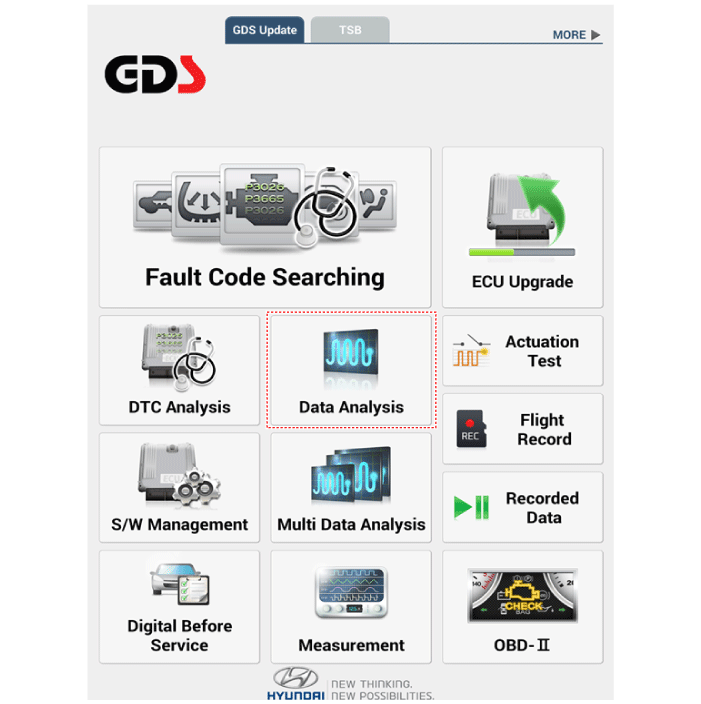
The electrical system malfunctions can be quickly diagnosed using the vehicle diagnostic system (Diagnostic tool). The diagnostic system (diagnostic tool) provides the following information.
DTC Search: Check malfunction and diagnostic trouble code (DTC)
Data Analysis: Check the input/output data status of the system
Actuation Test: Check the system operating status
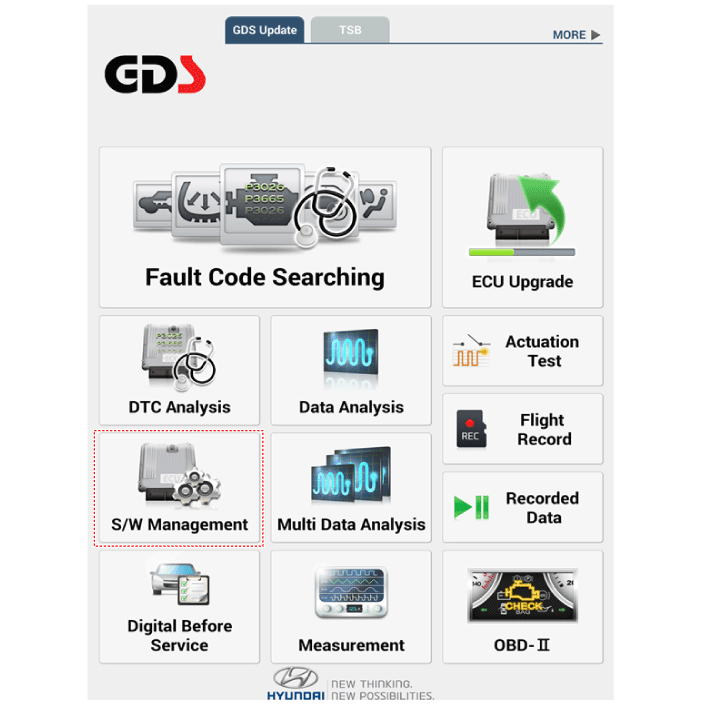
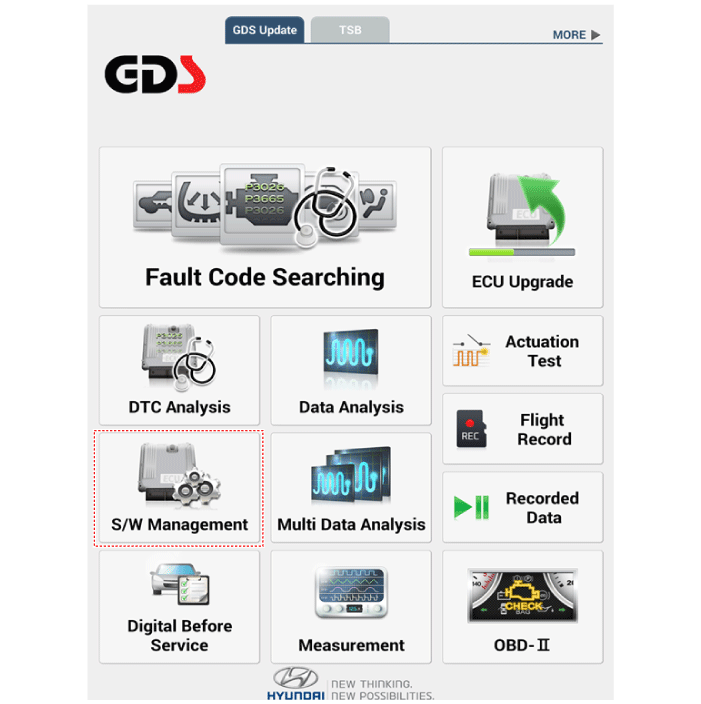
S/W Management: Control other functions, including system parameter setting and zero point adjustment
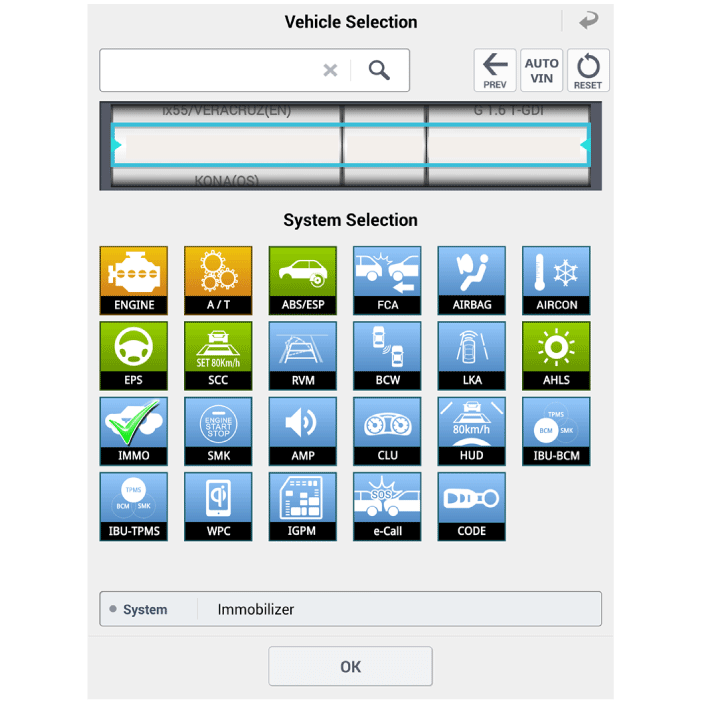
Select "Data Analysis" and "Vehicle Model".
Select "IMMO" to check the current input/output data status.
Data Analysis
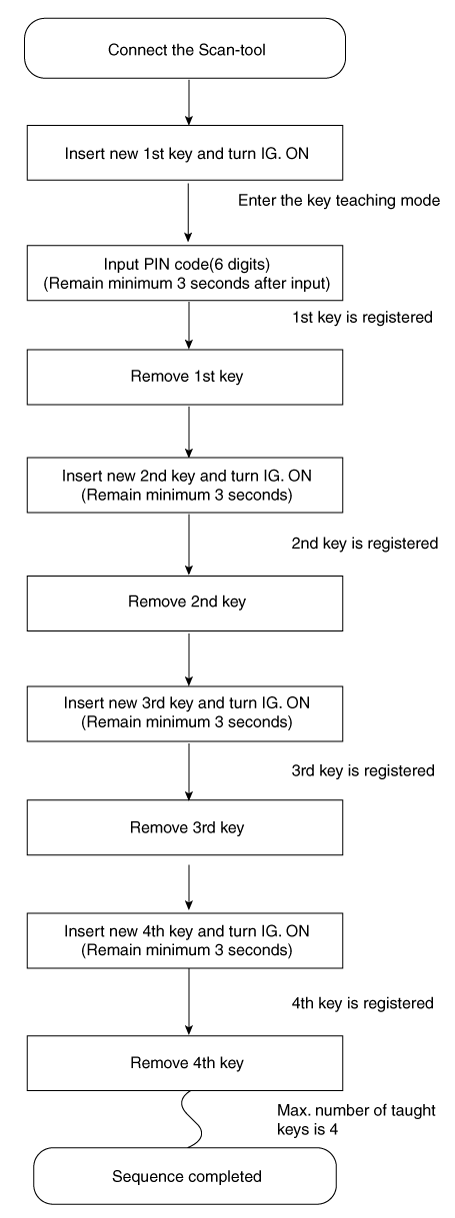
Key Learning Procedure
Key learning must be performed after replacing a faulty PCM (ECM) or when additional keys are provided to the vehicle owner. The procedure begins by requesting the vehicle-specific data (PIN code, 6 digits) from the PCM (ECM) with the scan tool. The "original" PCM (ECM) stores the vehicle-specific data, and key learning can be started. The "learned" PCM (ECM) compares the vehicle-specific data from the scan tool with the stored data. If the data is correct, learning can continue. If incorrect vehicle data has been sent to the PCM (ECM) three times, the PCM (ECM) will reject key learning requests for one hour. This time cannot be reduced by disconnecting the battery or by any other action. After the battery is reconnected, the timer starts again for one hour.
Key learning is performed by turning the ignition on with the key and by additional scan tool commands. The PCM (ECM) stores the relevant data in the EEPROM and in the transponder. The PCM (ECM) then performs the authentication required to confirm the learning process. Successful programming is then confirmed by a message on the scan tool. If the key is already known to the PCM (ECM) from a previous learning, the authentication will be accepted and the EEPROM data will be updated. The transponder content cannot be changed (this is not possible for a learned transponder). An attempt to re-learn a key that has already been learned during the same learning cycle is recognized by the PCM (ECM). It rejects the key and a message is sent to the scan tool. The PCM (ECM) rejects invalid keys presented for learning. A message is sent to the scan tool. The key may be invalid due to a faulty transponder or other causes resulting from unsuccessful data programming. If the PCM (ECM) detects different transponder and PCM (ECM) authenticators, the key is considered invalid. The maximum number of learnable keys is 4.
If an error occurs during the immobilizer service menu, the state of the PCM (ECM) remains unchanged and the specific fault code is stored. If the state of the PCM (ECM) and the state of the key do not match for key learning, the scan tool procedure will be stopped and the specific fault code will be stored in the PCM (ECM).
When learning the 1st key, the Smartra is registered at the same time.
The following section describes how to diagnose malfunctions using the scan tool.
Connect the diagnostic tool cable to the data link connector (DLC) under the driver's side lower instrument panel and turn on the diagnostic tool.
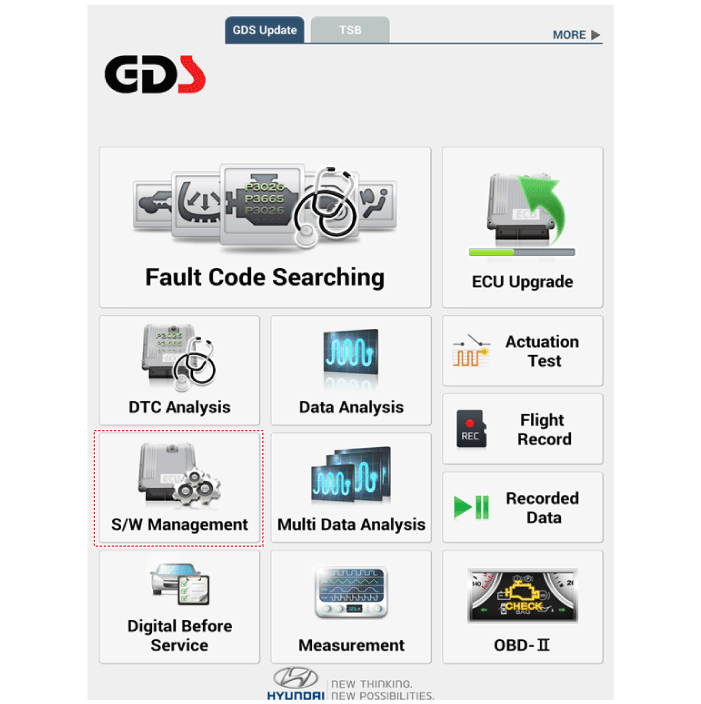
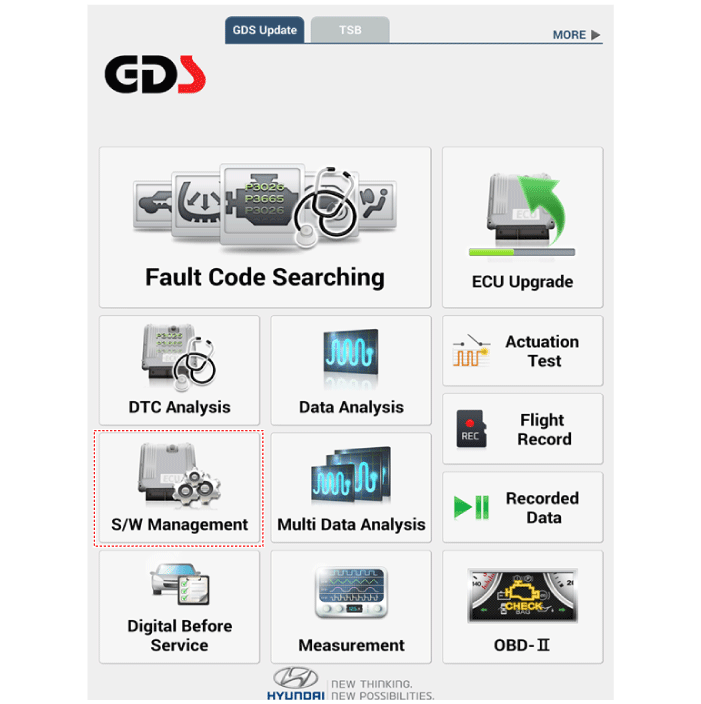
Select "Software Management" and "Vehicle Model".
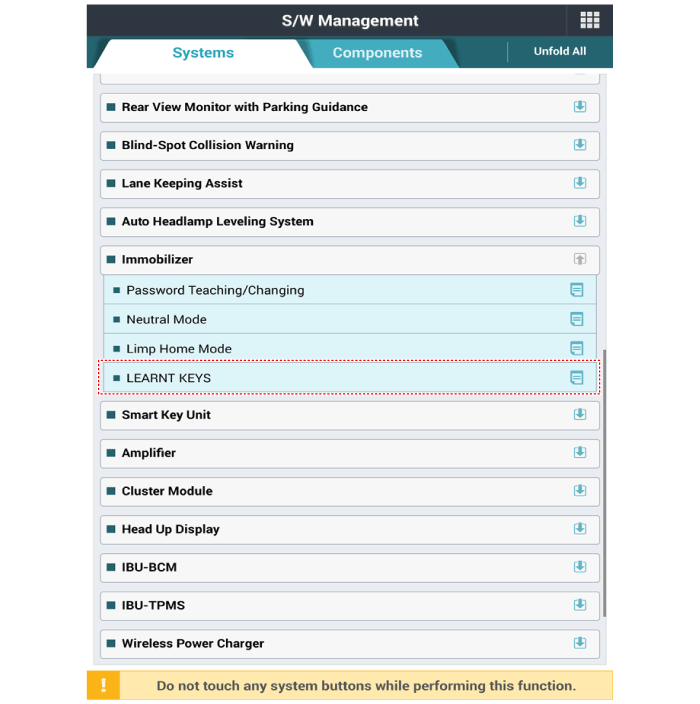
Select "Immobilizer" and "LEARNED KEYS".
Perform the "KEY LEARNING" procedure according to the diagnostic tool screen message.
Connect the diagnostic tool cable to the data link connector (DLC) under the driver's side lower instrument panel and turn on the diagnostic tool.
Select "Software Management" and "Vehicle Model".
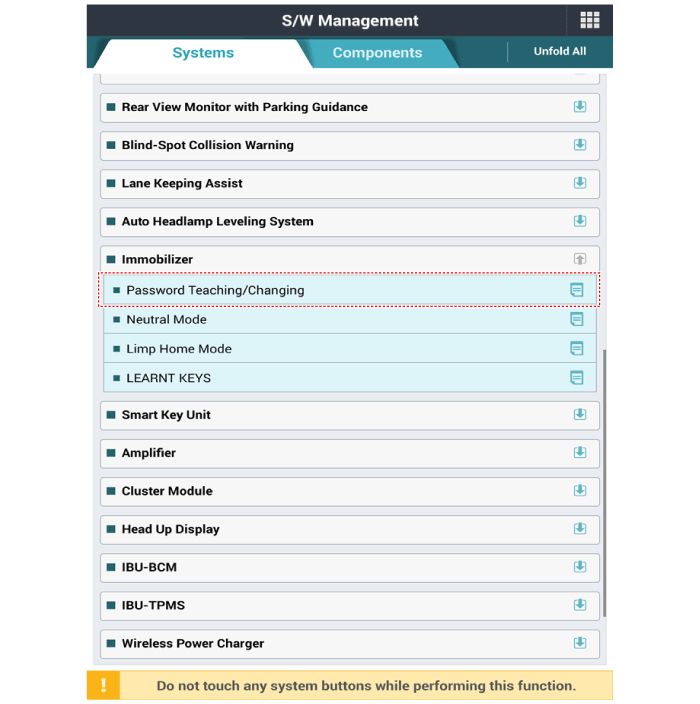
Select "Immobilizer" and "Learn/Change Password".
Perform the "Learn / Change Password" procedure according to the diagnostic tool screen message.
Connect the diagnostic tool cable to the data link connector (DLC) under the driver's side lower instrument panel and turn on the diagnostic tool.
Select "Software Management" and "Vehicle Model".
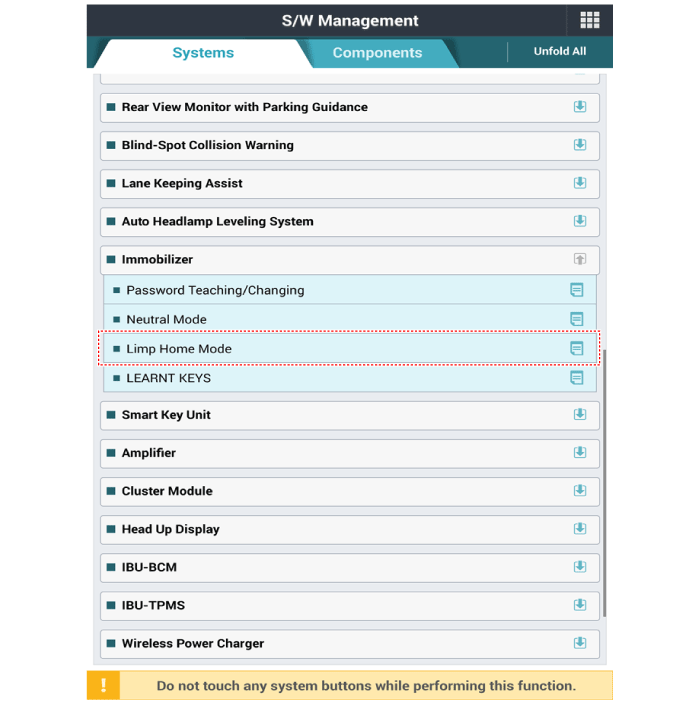
Select "Immobilizer" and "Limp Home Mode".
Perform the "Limp Home Mode" procedure according to the diagnostic tool screen message.
Learning/Changing the Password
The user password for Limp Home is learned at the dealership. The vehicle owner can select a four-digit number. Learning of the user password is accepted only by a "learned" PCM (ECM). Until the first entry of the user password into the PCM (ECM), the password status is "virgin" and no limp home function is possible. Learning starts when the ignition is turned on with a valid key (learned key) and the user password is sent by the scan tool. After successful learning, the user password status changes from "virgin" to "learned."
A learned user password can also be changed. This can be done if the user password status is "learned" and the scan tool sends access authorization, either the old user password or the vehicle data. After correct authorization, the PCM (ECM) requests a new user password. The status remains "learned" and the new user password will be valid for the next limp home mode.
If the PCM (ECM) receives incorrect data three times in a row or with interruptions, the PCM (ECM) will reject the password change request for one hour. This time cannot be reduced by disconnecting the battery or by any other action. After the battery is reconnected, the timer starts again for one hour.
The following section describes how to diagnose faults using the scan tool.
Limp Home Function
If the PCM (ECM) detects a fault in the SMARTRA or transponder, the PCM (ECM) will allow limited operation of the immobilizer. Limp home is possible only if the user password (4 digits) was previously sent to the PCM (ECM). This password can be selected by the vehicle owner and programmed at the service station. The user password can be sent to the PCM (ECM) through the special scan tool menu. Only if the PCM (ECM) is in the "learned" state and the user password status is "learned" and the user password is correct, will the PCM (ECM) be unlocked for a period of time (30 sec.). The engine can be started only during this time. After the time has expired, engine starting is not possible. If an incorrect user password is sent, the PCM (ECM) will reject the limp home request for one hour. Disconnecting the battery or any other action cannot reduce this time. After the battery is reconnected, the timer starts again for one hour.
ECM Neutralization
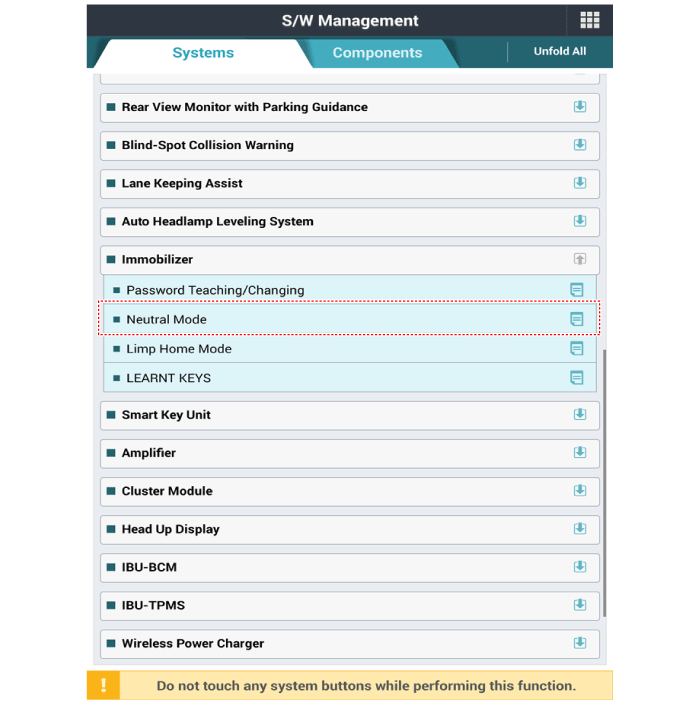
The PCM (ECM) can be set to the "neutral" state using the scan tool. A valid ignition key is inserted, and after the ignition is turned on, the PCM (ECM) requests vehicle-specific data from the scan tool. Communication messages are described in "Neutral Mode." After the data is successfully received, the PCM (ECM) is neutralized. The ECM remains locked. Neither the limp home mode nor the "double ignition on" function is accepted by the PCM (ECM). Key learning is performed in accordance with the procedure described for the primary PCM (ECM). The vehicle-specific data must remain unchanged due to the unique transponder programming. If the data must be changed, new keys with a virgin transponder are required. This function is intended for neutralizing the PCM (ECM) and the key. Example: if a key is lost, neutralize the PCM (ECM), then learn the keys. (See "What to do if a key is lost.")
The PCM (ECM) and PIN code can be set to "neutral" status with a scan tool. If incorrect vehicle data has been sent to the SMARTRA three times in a row or with interruptions, the SMARTRA will reject the neutral mode request for one hour. Disconnecting the battery or other actions cannot reduce this time. After the battery is reconnected, the timer starts again for one hour.
Neutralization status - If the PCM (ECM) status is "Learnt", regardless of the user password "Virgin or Learnt": - Enter the correct PIN code using the scan tool. - Neutralization meaning: Delete the PIN code (6) and user password (4). : Lock the ECM (except Key Learning permission).
Neutralization value: - Delete the PIN code (6) and user password (4) - Lock the EMS (except Key Learning permission)
Connect the diagnostic tool cable to the data link connector (DLC) under the driver's side lower instrument panel and turn on the diagnostic tool.
Select "Software Management" and "Vehicle Model".
Select "Immobilizer" and "Limp Home Mode".
Perform the "Limp Home Mode" procedure according to the diagnostic tool screen message.
?
Test yourself
A quick Hyundai Palisade quiz: every answer comes with an explanation and a link to the manual page.