Multimedia System
Display Settings
In this manual: Multimedia System
~1min read
press key
 Select [Display] using the
 the TUNE knob or
 key
 Select the menu using the
 SETUP knob
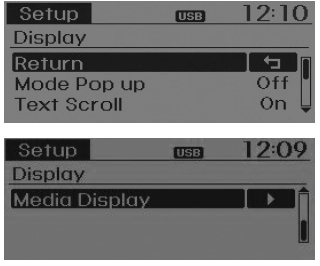
Mode Pop-up
[Mode Pop-up] Changes
 /
 mode selection
In the ON state, press the or
 key to display the mode change pop-up screen.
Text Scroll
[Text Scroll] SETUP
 /

 : Supports scrolling
 : scrolls only one (1) time.
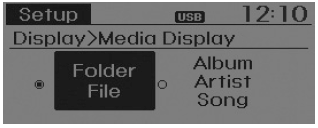
Media Display
When playing an MP3 file, select the desired information to display from "Folder/File" or "Album/Artist/Song".
Test yourself
A quick Hyundai Tucson LM quiz: every answer comes with an explanation and a link to the manual page.
Was this page helpful?