Driver Assistance System
Driver Attention Warning Operation
In this manual: Driver Assistance System
~2min read
Main Function
The Driver Attention Warning informs you of the "attention level" and when to "Consider taking a break".
Attention Level
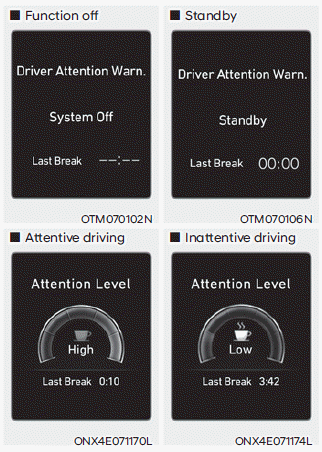
The driver attention level is displayed on a scale from 1 to 5. The lower the level, the sooner you should take a break.
- The Driver Attention Warning operates when your vehicle speed is between 0-120 mph (0-200 km/h).
Information
- When Inattentive Driving Warning is deselected, "System Off" appears in the Settings menu.
- When the vehicle speed is not within the operating speed, the message "Standby" appears.
Taking a Break
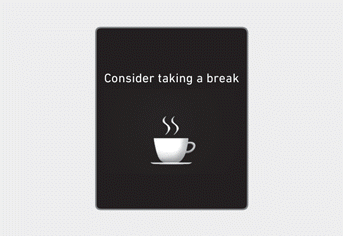
- The "Consider taking a break" message may appear on the instrument cluster and a warning sound may sound when the attention level is below 1.
- The Driver Attention Warning will not suggest a break if the total driving time is less than 10 minutes or 10 minutes have not passed since the last break was suggested.
WARNING
Change the settings only after parking your vehicle in a safe place.
CAUTION
- The Driver Attention Warning may suggest a break depending on your driving pattern or habits, even if you do not feel tired.
- The Driver Attention Warning is only a supplementary function and does not determine whether you are paying attention to the driving task.
- If you feel tired or want to take a break, do so as needed at a safe location.
Information
- The Driver Attention Warning status appears in the Driver Assistance mode on the instrument cluster. Refer to "Display Modes" in Chapter 4.
- The Driver Attention Warning resets the last break time to 00:00 when:
- The engine is turned off.
- The driver's seat belt is unfastened and the driver's door is opened.
- The vehicle is stopped for more than 10 minutes.
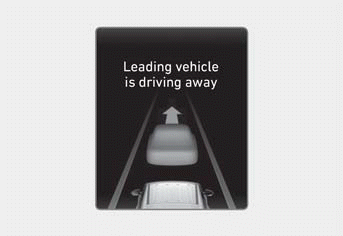
The Lead Vehicle Departure Alert displays the "Lead vehicle departing" message on the instrument cluster and a warning sound sounds.
WARNING
- When another system warning message appears or a warning sound is heard, the Lead Vehicle Departure Alert may not warn you.
- Always check road conditions and take appropriate measures as necessary to drive safely. You are responsible for operating your vehicle safely.
CAUTION
- The Lead Vehicle Departure Alert is a supplementary function and may not warn you every time the vehicle ahead departs from a stop.
- Always check that it is safe to proceed before starting to move, even if the feature warns you that the vehicle ahead has moved.
Information
Images and colors in the instrument cluster may differ depending on the cluster type or the theme selected from the Settings menu.
Test yourself
A quick Hyundai Tucson LM quiz: every answer comes with an explanation and a link to the manual page.
Was this page helpful?