Driver Attention Warning Settings
With the ignition ON, select User Settings > Driver Assistance > Driver Assistance > Driver Attention Warning (for cluster type) or Settings > Vehicle > Driver Assistance > Driver Attention Warning (for infotainment system type) in the Settings menu to set the following:
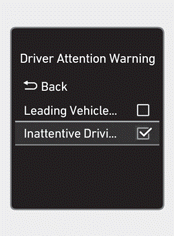
If Inattentive Driving Warning is selected, the Driver Attention Warning recommends taking a break when the attention level drops below a certain level.
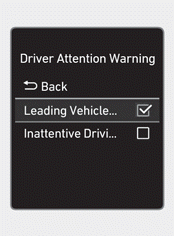
If Lead Vehicle Departure Alert is selected, the function informs you when a detected vehicle ahead departs from a stop.
Information
After restarting the engine, the Driver Attention Warning maintains the last setting.
Information
You can change the warning timing setting or select Driving Safety Priority for the Driver Attention Warning in the Settings menu. For more information, refer to "Driver Assistance System Settings" in this chapter.
Test yourself
A quick Hyundai Tucson LM quiz: every answer comes with an explanation and a link to the manual page.