Wireless Charging (WPC) Unit
Components and Components Location
Components
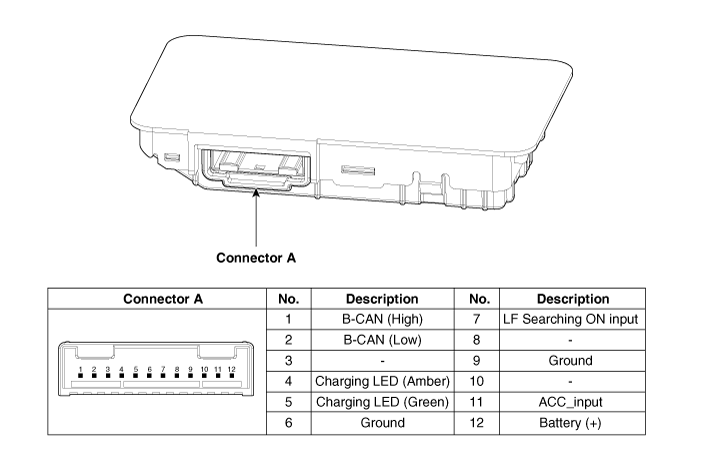
Wiring Diagram
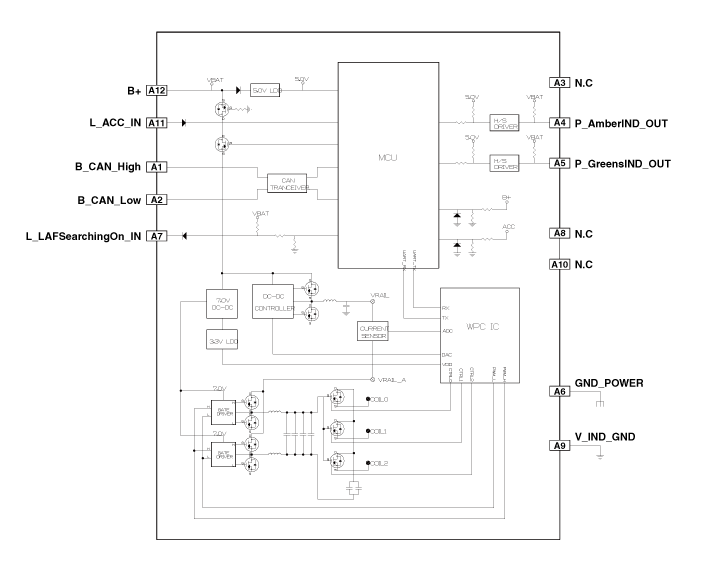
Wiring Diagram
Repair Procedures
Removal
Disconnect the negative (-) battery terminal.
Remove the console assembly.
(Refer to Body - Floor Console Assembly)
Remove the front cover (A) after loosening the mounting screws.
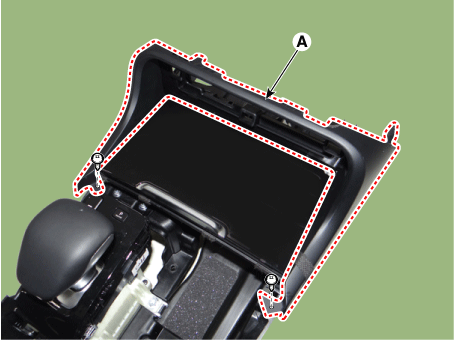
Remove the floor console tray (A) using a trim removal tool.

Remove the wireless charging pad (A).

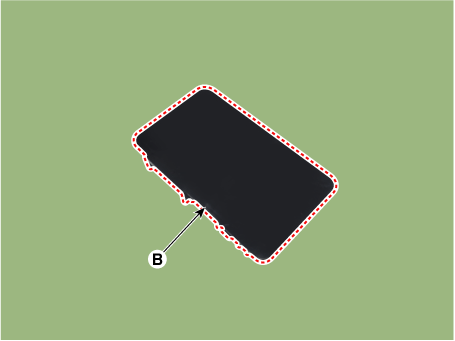
Disconnect the wireless charging unit connector (A).

Remove the wireless charging unit (B) by pressing the retaining hooks (A).

Installation
Install the wireless charging unit.
Connect the wireless charging unit connector.
Install the wireless charging pad.
Install the floor console tray.
Install the front cover.
Install the console assembly.
Connect the negative (-) battery terminal.
[Diagnosis Using KDS]
Body electrical system malfunctions can be diagnosed more quickly using the Kia Diagnostic System (KDS).
KDS provides the following information.
Self-diagnosis: Checks and displays diagnostic trouble codes (DTC).
Data list: Checks the input/output values of the system.
Active test: Checks the operating condition of the system.
Additional functions: System option control, zero point adjustment, and other functions.
To diagnose the vehicle with diagnostic equipment, select "Vehicle Model" and "Wireless Charger System" to be checked.
To check the current input/output values, select "Sensor Data" from the menu.
The input/output sensor values corresponding to the selected module can be checked.
To forcibly activate the selected module input, select "Actuation Test".
To determine the cause of a fault in each module using self-diagnosis, select "Diagnostic Trouble Code".
Test yourself
A quick Kia Stinger CK quiz: every answer comes with an explanation and a link to the manual page.