Service Mode

This mode calculates when scheduled maintenance is required (mileage or days).
If you want to view the service mode while other modes are displayed, press the ▲ or ▼ button for less than 1 second.
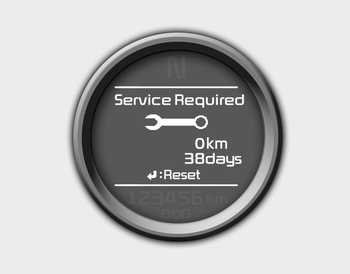
If your vehicle is not serviced according to the scheduled maintenance, the LCD display will show the mileage or days driven.
If you want to reset the service schedule when the service required message is displayed:
- Press the button for more than 5 seconds.
- ": Reset" will appear on the LCD display.
- Press thebutton again for more than 1 second.
If you do not press thebutton within 5 seconds, ": Reset" will disappear.
If you want to change the maintenance schedule interval, we recommend that you consult an authorized Kia dealer.
✽ NOTICE
- If you reset the service schedule when the displayed service schedule has not expired, or has expired without the vehicle actually being serviced, the displayed service schedule on the LCD may no longer match the actual service schedule.
You must follow the service schedule shown on the LCD for your vehicle's maintenance. - If the battery is disconnected or discharged, the displayed service schedule may not match the actual service schedule.
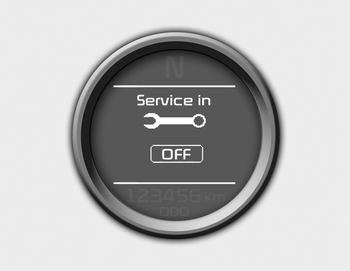
If service mode is not activated, the LCD display shows as in the illustration above.
In this case, we recommend that you contact an authorized Kia dealer.
Test yourself
A quick Kia Cee'd quiz: every answer comes with an explanation and a link to the manual page.