Vehicle Specifications
Using My Music Mode
In this manual: Vehicle Specifications
~1min read
My Music File Play/Pause
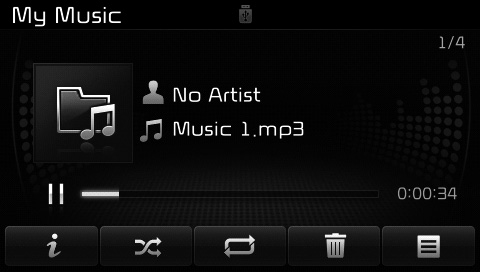
During playback, press the Press the pause button
 Press the button to play.
✽ NOTICE
If there are no files in My Music, the [My Music] button will be disabled.
Changing Files
press Key to move to the previous or next file.
✽ NOTICE
- Pressing Pressing the key after a file has played for 2 seconds will restart the current file from the beginning.
- Pressing Pressing the key within 1 second of a file starting will play the previous file.
Selecting from the List
Turn Turn the TUNE knob left/right to search for the desired file.
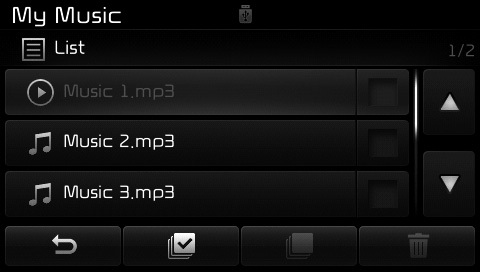
Once you find the desired file, press theTUNE knob to start playback.
Fast Forward/Rewind Files
During playback, press and hold thekey (more than 0.8 seconds) to fast-forward or rewind the current file.
Scan
press button to play the first 10 seconds of each file.
pressPress the key again to turn it off.
Test yourself
A quick Kia Cee'd quiz: every answer comes with an explanation and a link to the manual page.
Was this page helpful?