LKA Operation
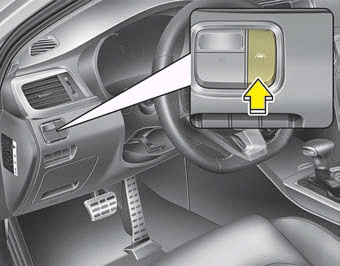
To activate/deactivate LKA:
With the ignition switch in the ON position, press the LKA button located on the lower left side of the instrument panel, on the driver's side.
The indicator on the instrument cluster display will illuminate white first.
When the indicator (white) was activated in the previous ignition cycle, the system turns on automatically.
If you press the LKA button again, the indicator on the instrument cluster display turns off.
The indicator color changes depending on the LKA status.
- White: The sensor does not detect lane markings or the vehicle speed is below 64 km/h.
- Green: The sensor detects lane markings, and the system can control the steering wheel.
Test yourself
A quick Kia Optima DL3 quiz: every answer comes with an explanation and a link to the manual page.