Entertainment Personalization Features Setting Procedure
WELCOME mode is controlled by the instrument cluster. Refer to the instrument cluster description.
1. Refer to INSTRUMENTATION/DRIVER INFO. PERSONALIZATION FEATURES SETTING PROCEDURE.
Welcome Sound ON/OFF Setting1. Switch the ignition to ACC or ON.
2. Turn the audio unit power to ON.
3. Press the AUDIO CONT switch.
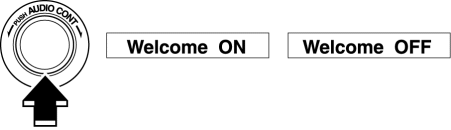
4. Select “Welcome ON” or “Welcome OFF”.
5. Press the AUDIO CONT switch.
6. Select “ON” or “OFF”.
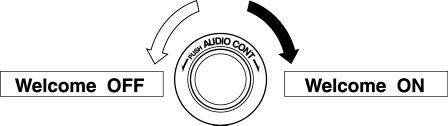
Action Illumination ON/OFF Setting
1. Switch the ignition to ACC or ON.
2. Turn the audio unit power to ON.
3. Press the AUDIO CONT switch.
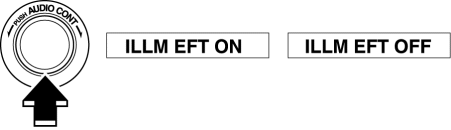
4. Select “ILLM EFT ON” or “ILLM EFT OFF”.
5. Press the AUDIO CONT switch.
6. Select “ON” or “OFF”.
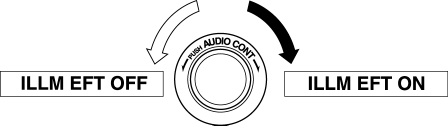
Switching between SIRIUS satellite radio unit equipped/not equipped NOTE:
Do not operate the command for the Sirius radio because it is used for the factory inspection.
1. Connect the M-MDS (IDS) to the DLC-2.
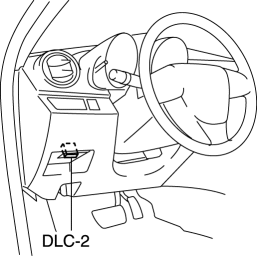
2. After the vehicle is identified, select the following items from the initial screen of the M-MDS.
Select the “Module Programming”.
3. Then, select items from the screen menu in the following order.
Select “Programmable Parameters”.
Select “Audio Configure”.
M-MDS display |
Function |
Setting |
||
Sirius radio |
Perform a write on the instrument cluster for whether or not a SIRIUS satellite radio unit is equipped. |
NOTE:
|
||
Test yourself
A quick Mazda 3 quiz: every answer comes with an explanation and a link to the manual page.