LKAS Operation
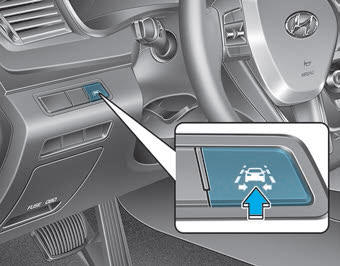
To activate/deactivate LKAS:
With the ignition switch in the ON position, press the LKAS button located on the lower left side of the instrument panel, on the driver's side.
The indicator on the instrument cluster display will first illuminate white.
When the indicator (white) was activated in the previous ignition cycle, the system turns on automatically.
If you press the LKAS button again, the indicator on the instrument cluster display will turn off.
The indicator color will change depending on the LKAS status.
- White: The sensor does not detect lane markings or the vehicle speed is below 40 mph (64 km/h).
- Green: The sensor detects lane markings and the system can control steering.
LKAS Activation
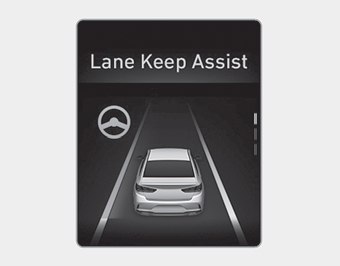
- To view the LKAS screen on the LCD display in the cluster, go to the ASSIST mode tab (
 ). For more details, refer to "LCD Display" in Chapter 3.
- After LKAS is activated, if both lane markings are detected, the vehicle speed exceeds 40 mph (64 km/h), and all activation conditions are met, the green indicator on the steering wheel will illuminate and the steering wheel will be controlled.
WARNING
The Lane Keeping Assist System is a system that helps the driver avoid leaving the lane. However, the driver must not rely solely on the system and must always check road conditions while driving.
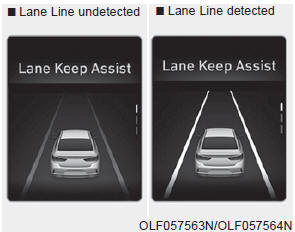
If the vehicle speed exceeds 64 km/h and the system detects the lane markings, the color changes from gray to white.

If the vehicle speed exceeds 64 km/h and the system detects the lane markings, the color changes from gray to white.
When the conditions below are met, LKAS will be activated to assist steering.
- The vehicle speed exceeds 40 mph (64 km/h).
- Both lane markings are detected by LKAS.
- The vehicle is positioned between the lane markings.
If LKAS can assist steering, the green indicator on the steering wheel will illuminate.

If the vehicle drifts out of its lane because the steering assist torque is not sufficient, the linear lane departure direction indicator will start flashing.
Keep Hands on Steering Wheel
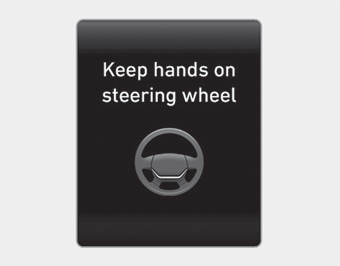
If the driver removes their hands from the steering wheel for several seconds while LKAS is activated, the system will warn the driver.
WARNING
- The warning message may appear late depending on road conditions. Therefore, always keep your hands on the steering wheel while driving.
- If you lightly hold the steering wheel, the system will not generate the hands-off warning, because LKAS can handle situations when you are not gripping the steering wheel.
Driver grip not detected. LKAS will be temporarily deactivated.
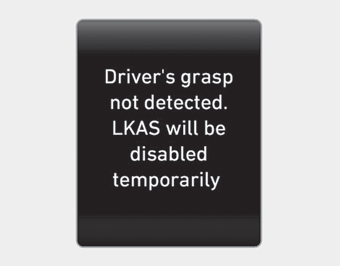
If the driver still does not keep hands on the steering wheel after several seconds, the system will not steer, and will only warn the driver when the driver crosses the lane markings.
However, if the driver places their hands on the steering wheel again, the system will resume steering control.
Test yourself
A quick Hyundai Sonata LF quiz: every answer comes with an explanation and a link to the manual page.