Instrument cluster
Trip information
In this manual: Instrument cluster
5steps
~30min
2/5difficulty
Done 0 of 5
1. Press the button on the multimedia/navigation system.
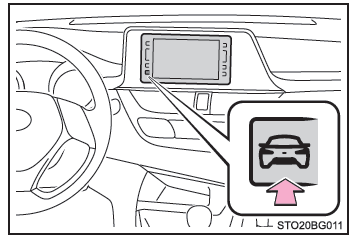
2. Select "Trip Information".
■ Trip information screen
- Average vehicle speed since the engine was last started.
- Remaining range
- Fuel consumption over the last 15 minutes
- Elapsed time since the engine was last started.
- Resetting consumption data
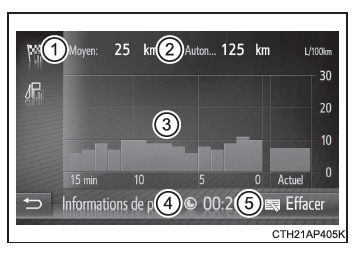
Vehicles without a smart entry & start system: The average fuel consumption over the last 15 minutes is color-coded to distinguish past averages from the averages recorded since the ignition switch was last set to "ON". Use the displayed average fuel consumption as a reference value.
Vehicles with a smart entry & start system: The average fuel consumption over the last 15 minutes is color-coded to distinguish past averages from the averages recorded since the engine switch was last set to IGNITION ON mode. Use the displayed average fuel consumption as a reference value.
These illustrations are examples only and may differ slightly from the actual display.
Was this page helpful?