Viewing pictures from a CD/DVD
1. Insert the CD/DVD label side up.
The disc is drawn in automatically.
2. Press the source menu button on the remote control.
3. Select "Photo".
4. Press the button .
Displaying the gallery
1. If necessary, select a subdirectory.
2. Select "Overview".
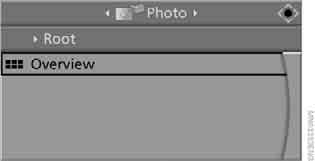
3. Press the button.
Loading the gallery may take several seconds.
4. Use the navigation buttons on the remote control to scroll through the pictures.
 If an icon appears on the screen instead of the picture, this means that the picture cannot be displayed in the gallery.◄
Viewing pictures
1. Select a picture using the buttons on the remote control.
2. Press the key.
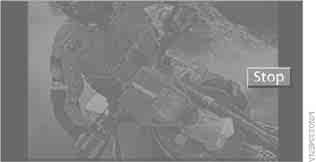
3. Select the display mode:
► Scroll through the pictures using the navigation buttons on the remote control.
► Slide show:
turn the controller to set the display duration and sequence of the pictures.
To stop the slide show, select "Stop".
Settings
1. Press the button .
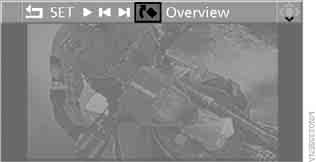
2. Select the following in the menu:
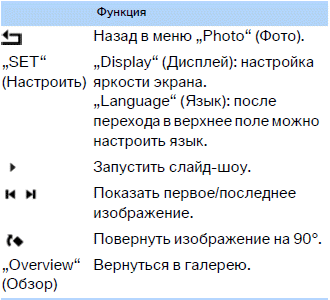
3. Press the button .
Exit
1. Press the button .
2. Select the symbol .
3. Press the button .
Ejecting CDs/DVDs
Press the button on the CD/DVD player. .
Test yourself
A quick BMW X3 quiz: every answer comes with an explanation and a link to the manual page.