Safe driving
Electric parking brake
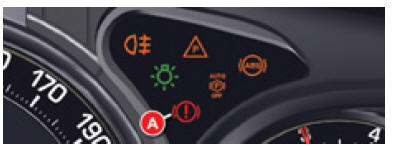
Electric parking brake: Automatic operation
When the vehicle moves off, the parking brake releases automatically and gradually. When the vehicle is stationary, the parking brake applies automatically when the engine is switched off.
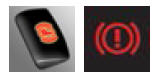 Before leaving the vehicle, check that warning lamp A (!) (red) of the parking brake is steady on the instrument panel and that warning lamp P (red) on control switch B is on.
! Never leave a child alone inside the vehicle with the ignition on. They could release the parking brake.
Manual operation
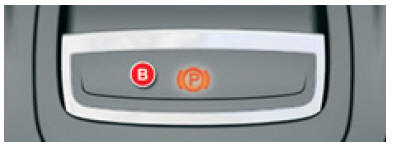
Electric parking brake: Manual operation
MANUAL applying/releasing of the parking brake is possible at any time by pulling/pushing control lever B and pressing the brake pedal.
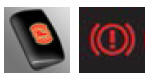 Before leaving the vehicle, check that warning lamp A (!) (red) of the parking brake is steady on the instrument panel and that warning lamp P (red) on control switch B is on.
! Engine running: if you leave the vehicle, apply the parking brake manually.
Hill start assist
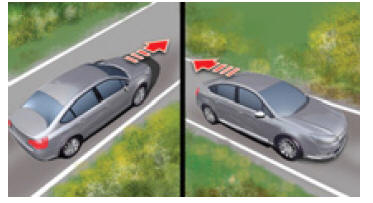
Hill start assist
To assist hill starts, your vehicle is fitted with a system that holds it stationary for a short time (approximately 2 seconds) while you move your foot from the brake pedal to the accelerator pedal.
This function is only active when:
- The vehicle has been brought to a complete stop with the foot on the brake pedal.
- On certain gradients.
- The driver's door is closed.
! Do not get out of the vehicle while the hill start assist temporary hold phase is active.
Speed limiter
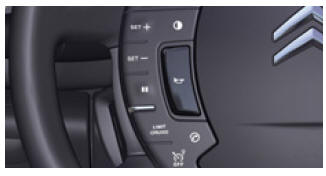
Speed limiter
This system lets you set a maximum speed that must not be exceeded.
 Select “LIMIT”: Activates speed limiter mode.
 “SET +”: Increases the maximum speed.
 “SET -”: Decreases the maximum speed.
 Suspends or resumes the mode.
 Switches off.
The selected speed remains stored.
The selected speed must be higher than 30 km/h.
Cruise control
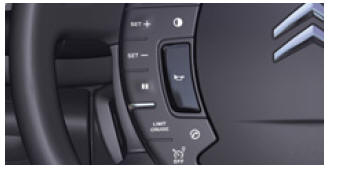
Cruise control
This system maintains the vehicle speed set by the driver at a constant level.
 Select “CRUISE”: Activates cruise control mode.
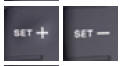 “SET”: Stores the speed (system on standby).
 “SET +”: Increases the stored speed (system ON).
 “SET -”: Decreases the stored speed (system ON).
 Suspends or resumes the mode.
 Switches off.
Display in the instrument panel
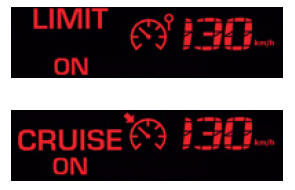
Display in the instrument panel
The speed limiter or cruise control mode appears in the instrument cluster when it is selected.
 Speed limiter
 Cruise control
 is active in the highest gears of the gearbox. The selected speed must be greater than 40 km/h.Turn indicators: “Motorway” function
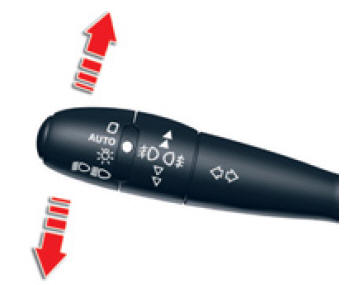
Turn indicators: “Motorway” function
- Give a single push up or down, without passing the resistance point; the corresponding turn signals will flash three times.
Ignition switch
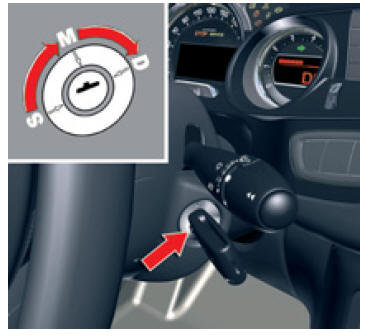
Switch
- S: Steering lock
To release the steering lock, move the steering wheel slightly while turning the key, without forcing it.
- M: Ignition on
- D: Starter
Release the key as soon as the engine has started. Never operate it while the engine is running.
6-speed automated manual gearbox
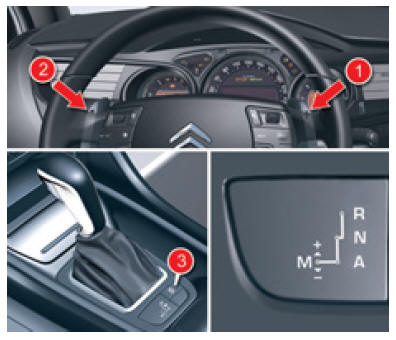
R Reverse
N Neutral
A Automated mode
M Manual mode
Using paddles 1 «+» and 2 «-»:
- changing gears in manual mode,
- temporary manual override in automated mode.
SPORT mode
- Lever on A and engine running, press button 3.
Automatic transmission
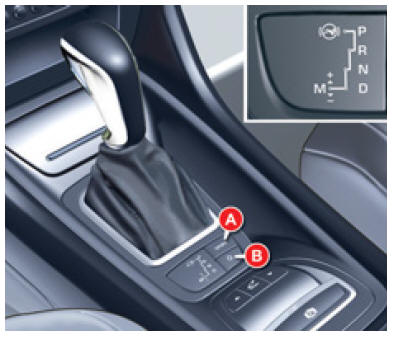
Automatic gearbox
Positions
P: Park.
R: Reverse.
N: Neutral.
D: Automatic mode.
M: Sequential mode.
The automatic transmission offers a choice of:
- Operation with automatic adaptation to your driving style and the road profile (Position D).
- Operation in sequential mode with manual gear changes (Position M).
- Operation in automatic SPORT mode (Position D) and press control A.
- Operation in automatic SNOW mode (Position D) and press control B.
! For safety:
The gear selector can only be moved out of position P if the brake pedal is pressed.
When a door is opened, an audible signal sounds if the gear selector is not in position P.
Always make sure the gear lever is in position P before leaving the vehicle.
Stop & Start
Switching to engine STOP mode
 The “ECO” indicator lamp comes on in the instrument panel and the engine switches to standby:
- with a 6-speed automated manual transmission: at a speed below 6 km/h, press the brake pedal or move the gear selector to position N.
In certain special cases, STOP mode may be unavailable; the «ECO» indicator flashes for a few seconds, then goes out.
Switching to START mode
 The “ECO” indicator lamp goes off and the engine restarts:
- gear selector in position A or M, release the brake pedal,
- or gear selector in position N with the brake pedal released, move to position A or M,
- or engage reverse.
In certain special cases, START mode may activate automatically; the «ECO» indicator flashes for a few seconds, then goes out.
Deactivation / Reactivation
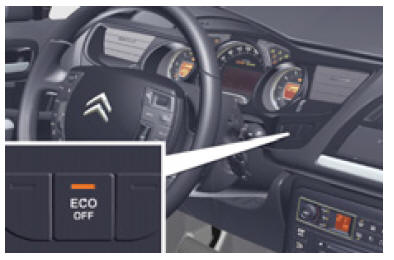
Deactivation
You can deactivate the system at any time by pressing the «ECO OFF» control; the button indicator lights up.
The system reactivates automatically each time the vehicle is started with the key.
Before refuelling or any work under the bonnet, always switch off the ignition using the key.Available space measurement
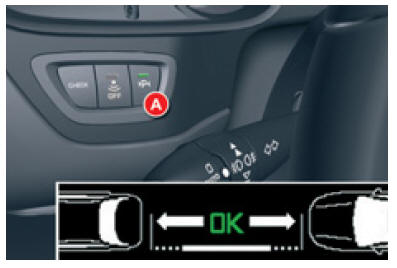
Available space measurement
You can select the “Available space measurement” function by pressing control A, with the indicator on the side of the space to be measured, at a speed below 20 km/h and at a distance of less than approximately 1.5 m from the space.
The steady indicator light shows that the function has been selected.
Graphic and audible parking assistance
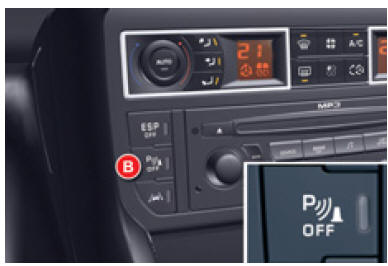
Graphic and audible parking assistance
You can activate/deactivate the parking assistance by pressing control B. If the parking assistance is inactive, the indicator light on control B is on.
Unintentional lane departure warning
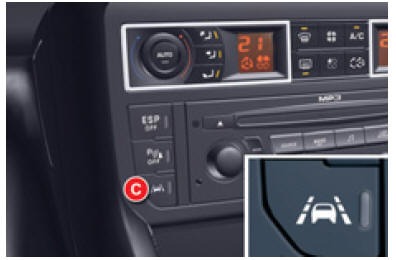
Unintentional lane departure warning
This system is recommended on motorways and expressways, and only operates above a speed of approximately 80 km/h.
Press control C to activate the function; the indicator light on the control comes on.
The system will not warn you while your turn signal is activated, and for approximately 20 seconds after it is switched off.Test yourself
A quick Citroen C5 Aircross quiz: every answer comes with an explanation and a link to the manual page.