Configuration
1.  Press the SETUP key.

2.  Select the "Date
and time" function and press OK to confirm.


3.  Select the "Set
date and time" function and press OK to confirm.


4.  Adjust the settings using
the rotary knob, and move to the next one using the 4-way selector.
Press OK to confirm.

GPS sync (GMT) principle:
- Confirm the "GPS sync. (GMT)" selection; the time is then set to universal time GMT, and the date is also updated.
- Using the 4-way selector, move the cursor to the hours field and press OK.
- You can then use the rotary knob to adjust the time to the time zone of your choice.
Note: when changing between summer and winter time, the time zone must be changed manually again.
1.  Select the "Date
format" function and press OK to confirm.
Select the desired format using the rotary knob and press OK to confirm.

 Select the "Time
format" function and press OK to confirm.
Select the desired format using the rotary knob and press OK to confirm.

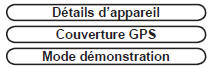
 Pressing the
SETUP key for more than 2 seconds gives access to:
Test yourself
A quick Citroen C5 quiz: every answer comes with an explanation and a link to the manual page.