Audio system
Audio system input jack
In this manual: Audio system
7steps
~42min
2/5difficulty
Done 0 of 7
DANGER
Driver distraction may cause loss of vehicle control, accidents and personal injury. We strongly recommend that you exercise extreme caution when using any devices or systems that could take your attention away from the road. The driver's primary responsibility is the safe operation of the vehicle. We recommend that you do not use handheld devices while driving and, where possible, use voice-activated systems. Find out about local laws and regulations that may restrict the use of electronic devices while driving.For safety reasons, do not connect or adjust the settings of your portable digital player while the vehicle is moving.
When the vehicle is moving, store the portable digital player in a secure place in the vehicle, such as the center console or glove box. Hard objects can become projectiles in a collision or sudden stop, increasing the risk of serious personal injury. The audio extension cable must be long enough to allow the portable digital player to be stored safely while the vehicle is moving.The auxiliary input jack allows you to connect your portable digital player and play music through the vehicle speakers. You can use any portable digital player designed for use with headphones. The audio extension cable must have 3.5 mm (one-eighth inch) male connectors at each end.
- Make sure the vehicle is stationary, with the audio unit and portable music player switched off.
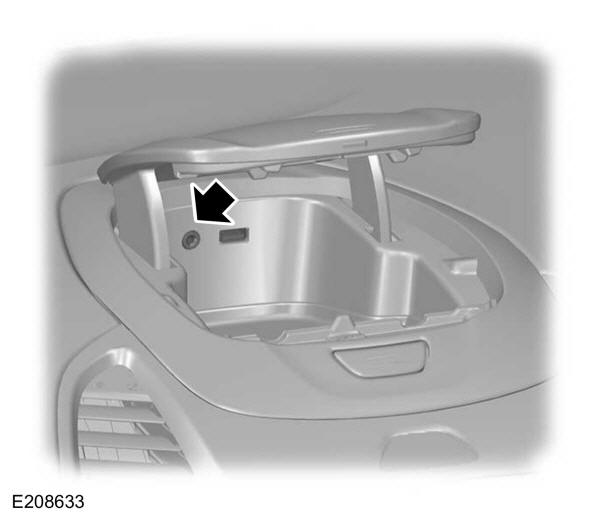
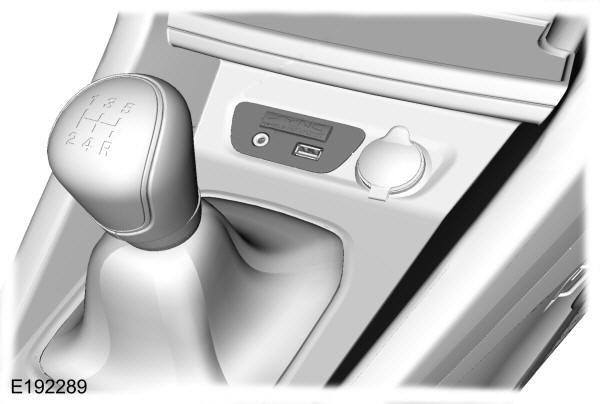
- Connect the portable digital player extension cable to the auxiliary input jack.
- Switch on the audio unit. Select an FM radio station or a CD.
- Adjust the volume as desired.
- Switch on the portable digital player and set its volume to half of the maximum level.
- Press AUX until LINE or LINE IN appears on the display. You should be able to hear music played from your device, even at low volume.
- Adjust the volume on the portable digital player to match the level of the FM station or CD. Do this by switching between AUX and FM or CD, and vice versa.
Test yourself
A quick Ford Ka quiz: every answer comes with an explanation and a link to the manual page.
Was this page helpful?