Second generation (2007-2026)
Pairing from Phone Setup
In this manual: Second generation (2007-2026)
~1min read
 PHONE button
► Phone Setup
Use the Phone setup screen to pair an additional Bluetooth-compatible phone if a phone has been previously paired to the system.
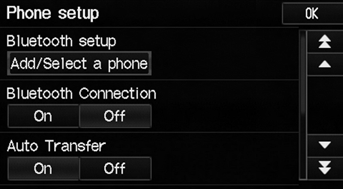
1. Select Add/Select a Phone under Bluetooth setup.
2. Select Search.
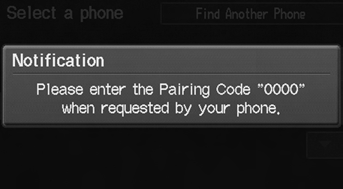
3. Put your cell phone in “Discovery” or “Search” mode. 4. Select OK. ► The system begins to search for your phone. 5. Select your phone in the list. ► Select Find Another Phone if your phone is not found. ► Refer to your phone manual for instructions on searching for a Bluetooth® device.
6. Enter the 4-digit pairing code on your phone when prompted to complete the pairing process.
You can control the HFL system using voice commands.
If a prompt appears asking to connect to a phone, select No and proceed with step 1.
Test yourself
A quick Honda Fit quiz: every answer comes with an explanation and a link to the manual page.
Was this page helpful?